E-Drums through Headphones
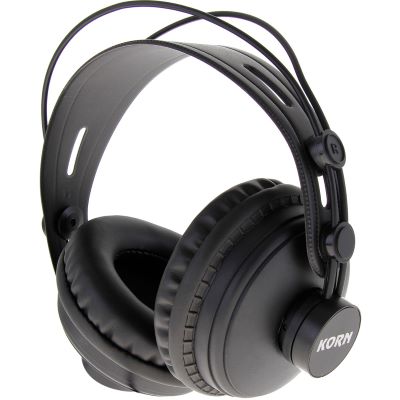
The simplest solution for quiet practice. Closed-back headphones additionally reduce how strongly the mechanical impact of pads and cymbals reaches your ears and allow you to concentrate on the electronic drum sound.

Practise quietly at home, play with plenty of impact in the rehearsal room or send the complete electronic drum kit to a large stage: the decisive factors are which outputs your drum module provides and which playback system is connected to them. This guide explains headphones, drum monitors, active speakers, PA systems, mono and stereo operation and the required cables.
All three solutions can be correct. The deciding factors are required volume, room size, other musicians and the outputs available on your e-drum module.
The simplest solution for quiet practice. Closed-back headphones additionally reduce how strongly the mechanical impact of pads and cymbals reaches your ears and allow you to concentrate on the electronic drum sound.
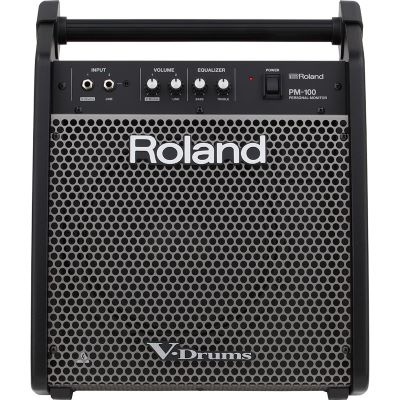
An active monitor makes the e-drum audible in the room and is often positioned directly beside or behind the drummer.
It should reproduce sufficiently low frequencies for kick drum and tom sounds as well as clear high frequencies for cymbals.
The MAIN or LINE outputs of the module feed the mixer or suitable active loudspeakers. Depending on the setup, the drum signal can be transmitted in mono or stereo.
| Feature | Headphones | Drum Monitor | PA |
|---|---|---|---|
| Typical Use | Home and practice | Lessons, rehearsal and personal monitoring | Band, stage and audience |
| Connection | PHONES / HEADPHONES | MAIN / LINE OUT | MAIN / LINE OUT, optionally via DI |
| Stereo | Usually useful | Possible with two suitable speakers | Depending on stage and PA situation |
| Mobility | Very high | High | Depends on the PA system |
| Low Bass | Model-dependent | Check woofer size and system design | Can be extended with a subwoofer |
| For an Audience | No | Only to a limited degree | Yes |
The exact connections vary from model to model. Before buying cables, headphones or loudspeakers, always check the labels on your actual drum module and its operating instructions.
This output includes a headphone amplifier and normally provides a stereo signal. Depending on the module, a 3.5 mm or 6.3 mm stereo jack socket may be used.
Start with the volume turned down. Put on the headphones and then raise the level gradually to a comfortable listening volume.
These outputs are designed for monitors, active loudspeakers, mixers and recording equipment. Many drum modules use two 6.3 mm outputs for the left and right channels.
Stereo preserves panning and spatial effects. Mono needs fewer cables and mixer channels and is often simpler on smaller stages.
If an output is explicitly marked L/MONO, it can be intended to provide a combined mono signal when only one speaker or one mixer channel is used.
Turn the module, mixer and active speaker down first. Then increase the levels step by step to avoid unexpectedly high volume and overloaded inputs.
Headphones are the most direct playback solution for an apartment, practice room and late-night sessions.
Closed-back models are especially interesting because they isolate the mechanical clicking of pads and cymbals more strongly from the electronic drum sound.
A drum monitor or active fullrange monitor is suitable when the electronic drum kit needs to be audible without headphones.
This is practical for lessons, rehearsals, small sessions and personal stage monitoring.
An e-drum covers a broad frequency range: cymbals need clear high frequencies, snare and toms require clean mids and the kick needs sufficient low-frequency reproduction.
Very small loudspeakers can be convenient, but they will not automatically create the same physical kick-drum impression as larger 10-, 12- or 15-inch systems.
On stage, the module is normally connected to the mixer through its audio outputs. From there, the drum signal goes to the front-of-house PA and, when required, to stage monitors as well.
Use both L and R for stereo. For mono operation, use the output specified by the manufacturer for that purpose, commonly L/MONO.
For short, suitable connections, the module can feed a line input directly. On larger stages, a DI solution can be useful.
Operate the module at a sensible output level and set mixer input gain so that hard drum hits do not cause clipping.
Judge kick, snare, toms and cymbals together with bass, guitars, vocals and the acoustics of the room or venue.
One channel reduces cabling and mixer-channel requirements. For small stages, rehearsal rooms and straightforward reinforcement, mono can be completely sufficient.
Check beforehand whether effects and panning still work musically when summed to mono.
Two channels preserve the left/right distribution of the drum kit and stereo effects.
This is most worthwhile when the PA is arranged accordingly and the audience can actually perceive the stereo image.
The selection is grouped according to application: headphones, drum monitors, active PA speakers, DI/cabling equipment and e-drums with flexible audio connections.
From e-drum systems and drum monitors to active PA equipment, these manufacturers offer suitable solutions for practice, rehearsal rooms and live stages.









Use the dedicated PHONES output for headphones. Line outputs are designed to feed subsequent audio equipment.
A passive PA loudspeaker requires a power amplifier. Active monitors and active PA speakers already contain the necessary amplification.
A very compact monitor can be sufficient for practice but will not automatically provide the same physical kick response as a larger fullrange system.
Build output level and input gain gradually. Distortion can already occur in the signal path before the loudspeaker itself reaches its limit.
Do not simply omit an arbitrary left or right channel. If the module provides a dedicated L/MONO output, use it for mono operation.
Even an e-drum used with headphones still creates pad and pedal noise. The kick pedal in particular can transfer structure-borne sound into the floor.
An electronic drum kit offers very flexible monitoring. For quiet practice, the headphone output is the simplest route. If the sound needs to be audible in the room, an active drum monitor or fullrange loudspeaker performs that task. For bands, concerts and events, the module's main outputs feed a mixer or PA.
The correct connection is important: headphones belong on the PHONES output, while active speakers and mixers should be connected to MAIN or LINE outputs. For longer stage cable runs, DI boxes and balanced XLR cables can provide a practical signal path.
Whether mono or stereo is the better option depends on the drum module, available mixer channels, stage setup and desired spatial impression. Whatever playback system is selected, build the gain structure carefully and check kick, snare, toms and cymbals together at realistic playing volume.
Further guides covering drums, musical instruments, studio equipment, DJ technology and event equipment can be found in the central Musikhaus Korn guide world.