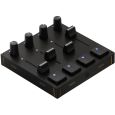
NEW Novation FLpad


available again expected 12/10/2026
Delivery time: 7 ‐ 14 business days (Germany)
Check availability in store:
- Oschatz: currently unavailable


Novation FLpad Product Details
Novation FLpad
Are you looking for a grid controller designed specifically for FL Studio that makes beatmaking right in the Channel Rack a breeze? The Novation FLpad is a controller featuring 64 RGB pads, direct FL Studio integration, and a large, velocity-sensitive grid for expressive finger drumming, melodic playing, and quick pattern creation.
With the Novation FLpad, Novation is targeting producers and beatmakers who want to make their workflow in FL Studio more direct, intuitive, and efficient. Whether you’re triggering samples, programming beats, playing melodies, developing patterns, or controlling the Channel Rack mixer, this controller brings key production steps right to the pad grid.
Grid Controller for FL Studio
The Novation FLpad was designed for use with FL Studio. Its integration with the Channel Rack allows you to select and trigger sounds directly via the pads. This creates a workflow that is particularly well-suited for beatmaking, drum programming, and quickly capturing musical ideas.
The Novation FLpad’s large pad grid is velocity-sensitive, making it particularly well-suited for dynamic finger-drumming and expressive performances. For those who want to not only program drums, basslines, chords, or melodies but also play them live, this provides the perfect hardware interface for FL Studio.
64 RGB Pads for Beats, Melodies, and Patterns
At the heart of the Novation FLpad are 64 RGB pads. They serve as the central control surface for creating and editing musical ideas. The colored display clearly illustrates functions, instruments, patterns, and playback modes.
In the Channel Rack, samples can be selected and triggered directly. This makes the controller particularly useful for drum programming and sample-based production. At the same time, Note Mode supports playing and sequencing melodic instruments, either in a fixed scale or chromatically.
Step Sequencer for Quick Ideas
The step sequencer workflow allows you to quickly create and edit drum patterns, basslines, chord progressions, and melodies. The Novation FLpad supports up to four instruments simultaneously.
This makes the controller particularly well-suited for producers who want to develop ideas directly within the production process. Instead of working exclusively with a mouse and keyboard, patterns can be shaped, expanded, and varied directly via the grid.
Fingerdrumming with Special Layouts
For live drum performance, the Novation FLpad offers special layouts for FPC, Slicex, and Fruity Slicer. This allows drum sounds, slices, and samples to be played directly via the pads.
The velocity-sensitive grid enables more expressive playing, as the intensity of the strike can be incorporated into the performance. This is a particularly important advantage for finger drumming, when you want grooves to sound more natural and lively.
Pattern Workflow and Direct Editing
The Novation FLpad supports a dedicated pattern view. This allows you to create, select, delete, and duplicate patterns, so musical ideas can be developed directly on the controller.
Additionally, you can access FL Studio’s Graph Editor directly from the grid. This allows you to edit notes and musical details without interrupting your creative flow.
Channel Rack Mixer and Transport Control
In Channel Rack Mixer mode, the Novation FLpad transforms its grid into a row of faders. This allows you to control mixing functions directly on the controller and integrate them into the FL Studio workflow.
Transport controls are also available directly on the device. Playback and recording can be started and stopped, actions can be undone, and other basic control functions are accessible without having to use a mouse or keyboard.
Custom Layouts with Novation Components
With Novation Components, you can create your own layouts. This allows you to customize the Novation FLpad to your personal workflow and use it with other software and hardware as well.
This customization makes the controller ideal for setups that go beyond just FL Studio. Whether you use your own production routines, performance setups, or controller mappings, you can configure the FLpad accordingly.
Software and Content for Beat Production
The Novation FLpad comes with a 6-month subscription to FL Studio Producer Edition. The package also includes a selection of instruments and effects, as well as fingerdrumming lessons from Melodics.
This makes the controller ideal not only for experienced FL Studio users but also for those who are just getting started with beat production or want to specifically improve their fingerdrumming technique.
Purchase Recommendation
The Novation FLpad is a great choice for anyone who wants to create beats, melodies, and patterns more directly in FL Studio. In particular, the combination of 64 RGB pads, a large velocity-sensitive grid, Channel Rack integration, step sequencer workflow, and pattern control makes the controller a practical tool for modern music production.
If you use FL Studio and are looking for a controller that combines beatmaking, finger drumming, melodic playing, mixer control, and transport functions into a compact interface, the Novation FLpad offers a well-designed solution for production, performance, and creative work.
Features:
- Made for FL Studio
- Work directly in the Channel Rack
- Beatmaking with 64 RGB pads
- Velocity-sensitive grid for expressive playing
- Select and trigger samples directly from the pads
- Step sequencer for melodies, basslines, chord progressions, and drum patterns
- Edit up to four instruments simultaneously
- Special layouts for FPC, Slicex, and Fruity Slicer
- Note mode for melodic instruments
- Play in a fixed scale or chromatically
- Pattern View for creating, selecting, deleting, and duplicating patterns
- Direct access to FL Studio’s Graph Editor
- Channel Rack Mixer mode with a grid as the fader interface
- Dedicated transport controls for playback, recording, and other functions
- Create custom layouts with Novation Components
- Compatible with FL Studio as well as other software and hardware setups
- Beat production software package included
Technical Specifications:
- Product Type: Grid Controller
- Model: Novation FLpad
- Number of pads: 64
- Pad type: RGB pads
- Grid: velocity-sensitive
- Primary Software Integration: FL Studio
- FL Studio Area: Channel Rack
- Beatmaking function: Select and trigger samples via pads
- Sequencer function: Step sequencer
- Step sequencer applications: Melodies, basslines, chord progressions, and drum patterns
- Number of instruments supported simultaneously in the step sequencer: up to 4
- Drum Layouts: FPC, Slicex, and Fruity Slicer
- Melodic playing: Note mode
- Scale mode: fixed scale
- Chromatic play: Yes
- Pattern functions: create, select, delete, and duplicate
- Note editing: Access to FL Studio’s Graph Editor via the grid
- Mixer control: Channel Rack Mixer mode
- Fader control: Grid can be used as a fader interface
- Transport controls: Playback, recording, undo function, and other control commands
- Layout Customization: Novation Components
- Custom Layouts: for FL Studio or other software and hardware
- Included software: 6 months of FL Studio Producer Edition
- Included content: Selection of instruments and effects
- Learning content: Fingerdrumming lessons from Melodics
Specs:
- Color: Black
- USB-MIDI: USB
- MIDI Inputs: 0 Ports
- MIDI Outputs: 0 Ports
- Fader: 8
- Rotary knobs: 8
- Type: MIDI Controller
- Theme: Recording and Studio
Further links:
Frequently asked questions
| Question: | Who is the Novation FLpad designed for? |
| Answer: | Beatmakers who want to trigger samples, program beats and play melodic parts directly from pads in FL Studio. |
| Question: | Is FLpad suitable for expressive finger drumming? |
| Answer: | Yes. Its 64 velocity-sensitive RGB pads respond to your playing dynamics. Dedicated layouts support FPC, Slicex and Fruity Slicer. |
| Question: | Can I create melodies and chords? |
| Answer: | Yes. Note mode offers scale-based or chromatic playing. The step sequencer lets you work with up to four instruments simultaneously. |
| Question: | Which FL Studio version do I need? |
| Answer: | FL Studio 26.1.6 or later is required. FL Studio Web and FL Studio Mobile are not supported. |
| Question: | Which software is included? |
| Answer: | You receive six months of FL Studio Producer Edition, additional instruments and effects, and Melodics finger-drumming lessons. The included FL Studio access is time-limited. |