DJ Controller
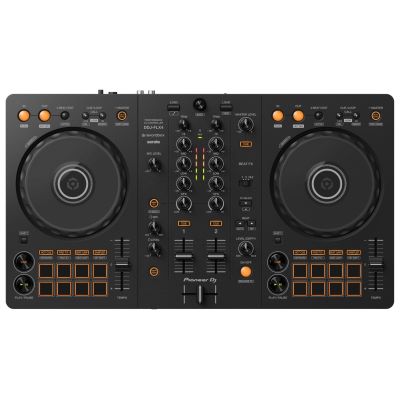
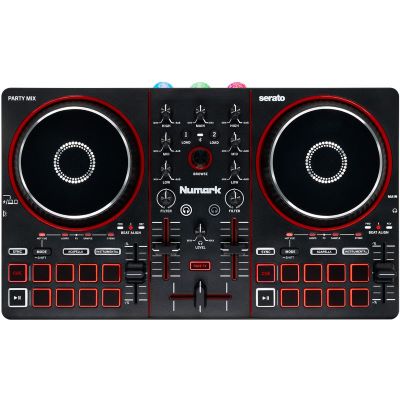
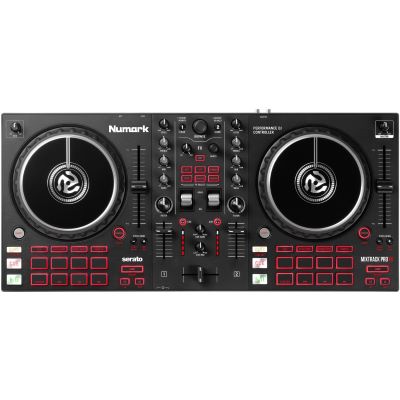
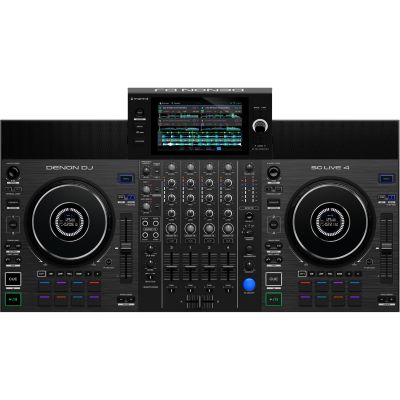
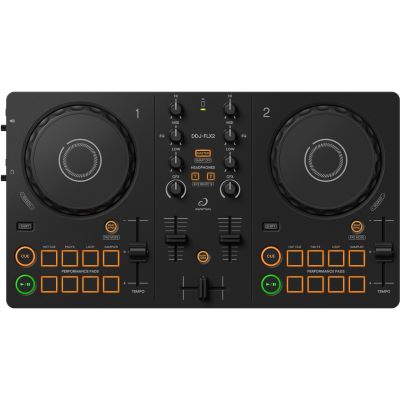
A compact controller combines two decks, a mixer section and the main controls. Models with an integrated audio interface allow separate outputs for the master signal and headphones.

As a bedroom DJ, you do not need a club sound system or four large media players. What matters is a clear workspace, a controller or standalone system, reliable headphone cueing and a speaker solution that suits your room. This guide shows you how to mix in a small space, practise quietly and expand your setup step by step later.
A two-deck controller, closed-back headphones and an existing laptop already form a complete practice setup. Add loudspeakers later according to room size, available desk space and the volume you actually need.
For regular practice at home, a simple workflow is more useful than having as much hardware as possible. A two-deck system already covers beatmatching, cueing, EQ transitions, hot cues, loops and many creative functions.
A compact controller combines two decks, a mixer section and the main controls. Models with an integrated audio interface allow separate outputs for the master signal and headphones.
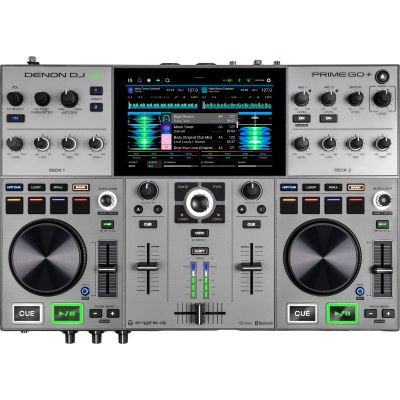
Controllers usually work with DJ software on a computer, tablet or smartphone. If you want to DJ without a computer, you can choose a self-contained all-in-one system instead.
The cue function lets you prepare the next track before bringing it into the mix. Headphones also allow you to practise almost entirely without external loudspeakers late in the evening.
Small active loudspeakers are usually sufficient for a bedroom setup. If you later want to provide sound for a party or event, you will need a separate PA system.
A sensible starting point: a two-deck controller, closed-back headphones and an existing laptop already form a complete practice station. You can add loudspeakers later according to your room size, available space and preferred listening level.
The controller, laptop and loudspeakers should remain easy to reach without cables crossing the controls or monitor speakers disappearing behind screens and furniture.
Jog wheels, EQ controls, cue buttons and faders should all be reachable from a relaxed position. If you mix regularly, a comfortable working height is more important than having an especially large table.
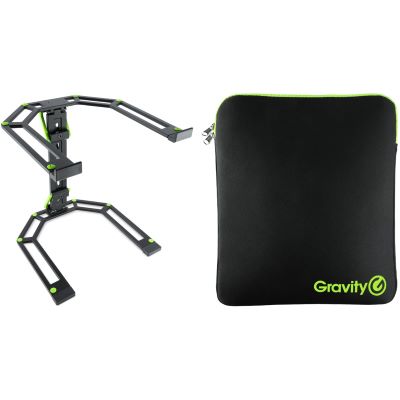
A laptop stand creates additional space, improves the view of your browser and waveforms and can be positioned above a compact controller or behind the mixer section.
USB, power and audio cables should not run across jog wheels or faders. A little additional cable length also prevents unnecessary strain on the connectors.
For a bedroom setup, a controller should not simply offer as many functions as possible. It needs to suit your computer, software and the space available on your desk.
With two decks you learn to play the current track while preparing the next one through headphones. Pitch, jog wheel, gain, EQ, filter, cue and channel faders already provide a complete classic DJ workflow.
Check which applications the device supports and which version is required. rekordbox, Serato, djay, TRAKTOR and other platforms differ in library management, performance features and operating logic. If you later want to move in a particular direction, the software ecosystem can be more important in the long term than an individual effect.
A very compact controller saves desk space and can be stored quickly. Larger models usually provide longer pitch faders, larger jog wheels and more space between controls. This extra room can be pleasant when practising manual beatmatching.
Bedroom DJ rule: buy the controller you will actually practise on regularly, not the model with the longest feature list. A clear two-deck workflow is often more valuable for learning than four decks that remain unused.
Yes. With a suitable controller, both the cue channel and the master mix can be monitored through headphones. This makes DJing particularly suitable for practising in an apartment.
At home you normally do not need event-level sound pressure. Compact active monitors can be connected directly to many DJ controllers and also work well at moderate listening levels.
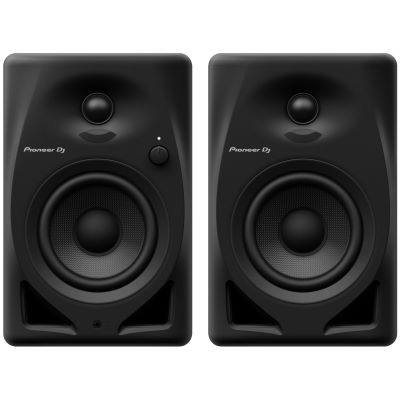
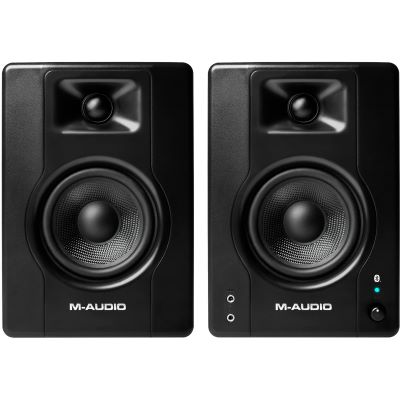
Small loudspeakers are practical on a desk and at short listening distances. They save space and are well suited to practice sessions at moderate volume.
Position the left and right loudspeakers as symmetrically as possible. Desktop stands or suitable pads can help align the tweeters more effectively with the listening position.
Studio monitors are designed for a workstation. If you later need to provide sound for a party or larger room, move to a suitable active PA system.
Compare space requirements, computer dependency and the main strength of each setup before deciding how large your home DJ workstation really needs to be.
| Setup | Space Required | Computer | Main Strength |
|---|---|---|---|
| Compact 2-Deck Controller | Very low | Usually required | Straightforward and affordable learning setup |
| Larger 2-Deck Controller | Medium | Usually required | More room for jog wheels and pitch faders |
| Standalone System | Medium to large | Not required while DJing | Clean, self-contained workflow |
| Headphones Only | Minimal | Depends on the system | Especially quiet practice |
| Controller + Active Monitors | Medium | Usually required | Complete home DJ setup |
Count bars and recognise intros, breaks, drops and outros. Good transitions begin with understanding musical phrases.
Use Sync as a tool, but also learn to work with the pitch fader and jog wheel. This helps you recognise when two tracks begin to drift apart.
Start with two tracks at similar tempos and practise controlled bass changes instead of immediately using multiple effects.
Record 20 to 30 minutes and listen back later without the stress of performing. Level jumps and timing problems become much easier to identify.
Start with the core components and expand only where your workflow, workspace or future plans actually require it.
Compact two-deck and multi-deck controllers for software-based DJ setups.
Software-based workflows, DJ applications and digital extensions.
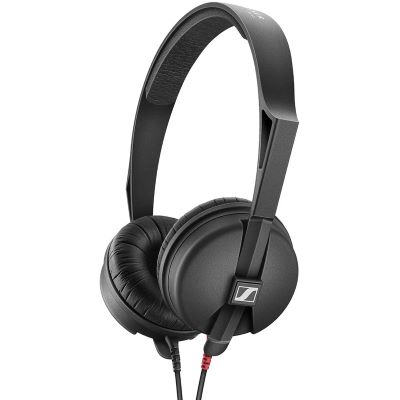
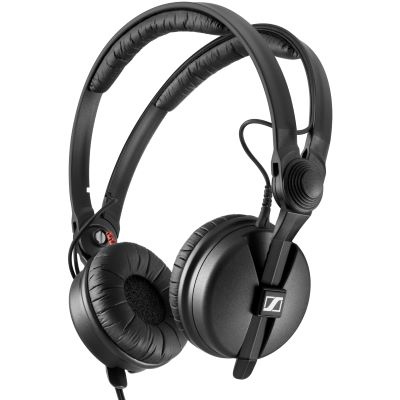
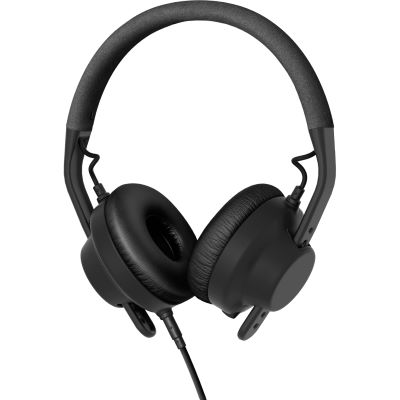
Closed-back headphones for cueing and quiet practice sessions.
Compact loudspeakers for desks and smaller listening positions.
Coordinated packages for an especially straightforward start.
Workstations and stands for controllers, laptops and accessories.
Protection for controllers, headphones and accessories.
Mixer sections for a later setup with separate players or turntables.
These models represent different sizes and operating concepts. Before buying, check the supported software, connections and the amount of desk space you have available.
A standalone system combines playback, display, mixing functions and audio connections in one unit. It can therefore provide a clean home setup without requiring a laptop during the mix.
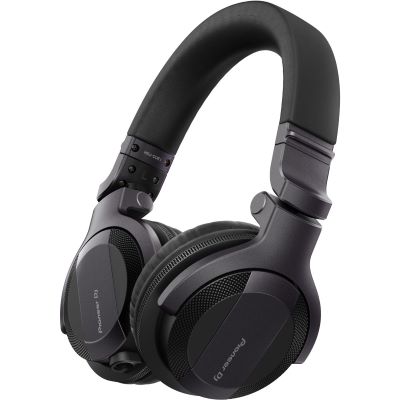
For a bedroom setup, good isolation, sufficient level and practical handling are especially useful. Closed-back models allow you to prepare tracks while keeping external playback levels low.
Compact monitor pairs save desk space and are intended for short listening distances. Choose a size that fits the room rather than simply selecting the largest available loudspeaker.
Raising the laptop can create valuable free space on a compact desk. It can also improve visibility of the music browser and waveforms while keeping the controller controls unobstructed.
Use the manufacturer pages to compare additional products from the same product families directly within the Musikhaus Korn online shop.








A practical home setup should be ready quickly and comfortable enough to use regularly. Avoid making the workspace unnecessarily complicated before you have mastered the fundamentals.
If the laptop, cables and loudspeakers no longer fit comfortably, even an excellent controller becomes inconvenient in everyday use.
Pre-listening is a fundamental DJ technique. Learn early how to control Cue and Master independently from one another.
High volume does not improve transitions. Moderate listening levels and regular headphone breaks are more sensible for longer sessions.
Use displays as a visual reference, but train your ears at the same time to recognise beats, phrases and level differences.
Two decks already provide plenty of possibilities. Additional channels become interesting once straightforward transitions are reliable.
Consider from the beginning whether your longer-term goal is bedroom DJing, streaming, mobile parties, club setups or vinyl.
A bedroom DJ mainly DJs at home and uses their own workspace to learn, prepare music and record sets. The term says nothing about skill level – many professional workflows are also prepared at home.
For a software-based setup, a compatible DJ controller, computer or mobile device, DJ software and headphones are usually sufficient. Loudspeakers are useful, but they are not essential for the first stages of learning.
Yes. Cue/Master monitoring allows you to practise complete transitions through suitable headphones. This often means external loudspeakers can be avoided entirely in the evening.
For classic two-track mixes, very often yes. Four decks become more interesting when you want to use additional loops, acapellas or several tracks running at the same time.
Not necessarily, but compact active monitors are practical for home practice. Their size should suit your desk and listening distance. They are not a substitute for a PA at events.
Yes, if you want to DJ without a running laptop or prefer a self-contained workflow. Standalone systems usually require more space and are generally more expensive than small controllers.
The controller can often continue to be used. For guests you will mainly need suitable PA loudspeakers, cables and, depending on the event, a microphone, lighting equipment and transport solutions.
Yes. A recording reveals timing, track selection, level jumps and transitions much more objectively than listening while you are performing. Short, regular mixes are particularly useful.
The right software depends on your controller and your longer-term goal. Check which applications are officially supported and which features are available in the version included with your hardware.
A good bedroom DJ setup should be ready to use quickly. If you have to move furniture and search for cables every time you want to mix, you will practise less often. Plan a permanent location for your controller, laptop and headphones and add loudspeakers only as large as your room actually requires.
Start with two decks and learn cueing, phrasing, beatmatching and EQ transitions. Once these fundamentals are reliable, you can expand deliberately: a larger controller, a standalone system, streaming, a mobile PA, cases or eventually separate players and a mixer. This allows the bedroom setup to grow with your skills instead of getting in the way from the beginning.
The central Musikhaus Korn guide contains further information about DJ equipment, recording and studio technology, musical instruments and event equipment. This allows you to develop your setup deliberately from your first mixes at home to mobile sound reinforcement or a club-oriented workflow.