Experiment with Loops and Clips
Ableton Live is particularly suitable for an experimental workflow with loops, samples, MIDI and spontaneous arrangements. FL Studio and Bitwig also follow strongly creative production concepts.

You do not need a huge collection of programs and plug-ins to create your first songs. A suitable DAW, a few integrated instruments, basic effects and a workflow you understand are completely sufficient. What matters is being able to record audio, play MIDI, arrange sounds, set levels and export your finished song. This guide shows you which software you really need at the beginning and which additions only become useful later.
Almost every established DAW can produce complete songs. For beginners, it is more important that the workflow feels understandable.
Ableton Live is particularly suitable for an experimental workflow with loops, samples, MIDI and spontaneous arrangements. FL Studio and Bitwig also follow strongly creative production concepts.
For traditional recording, clear audio tracks, comping, editing and an understandable mixer are important. Ableton Live, Cubase, Logic Pro and other full DAWs can all handle this workflow.
If you mainly want to play drums, piano, synthesizers and other software instruments, look for comfortable MIDI editing and good controller integration.
A Lite or Intro version is often enough for learning. If you later reach a genuine limitation, you can upgrade specifically to a more extensive edition.
Start with one DAW and the instruments and effects already included with it. Buy additional plug-ins only when you can clearly explain which function or sound is actually missing.
The Digital Audio Workstation is the main program. Tracks, recordings, MIDI parts, arrangement and mixing all come together here.
One drum instrument, one piano and a few synthesizers are enough for many first productions. Modern DAWs already include suitable sounds.
EQ, compressor, reverb and delay are the most important basics. You do not need to buy additional plug-in collections immediately.
Samples and loops are useful building blocks for beats and arrangements. A manageable library is often more productive for beginners than thousands of files.
No. First learn recording, MIDI, arrangement and mixing. Once you understand these fundamentals, you can judge much more accurately which additions genuinely improve your workflow.
Completing ten tracks with the integrated tools of your DAW is more useful than owning one hundred plug-ins whose possibilities you barely know.
Install the DAW → configure the audio output → create four to eight tracks → arrange your first song → export it.
DAW means Digital Audio Workstation. Inside the computer it replaces or combines the functions of a multitrack recorder, MIDI sequencer, mixer, effect processors and virtual instruments.
You can record vocals, edit guitars, program drums, play a software synthesizer through MIDI and then combine every track into a finished mix.
The main differences between DAWs are found in their operating concepts. The best software is therefore the one whose interface and workflow you understand quickly – not necessarily the one with the longest feature list.
Start with one tempo and a simple drum groove or metronome.
Record chords, guitar, bass or a simple MIDI melody.
Build an intro, verse, chorus and additional sections on the timeline.
Begin with presets and existing samples rather than programming every instrument completely from scratch.
Set levels and panorama first. Use EQ, compression and reverb only where they are genuinely needed.
Export a stereo file and listen to it outside your DAW on headphones, speakers and other familiar systems.
All of these established DAWs can produce complete songs. Use the workflow as your main point of comparison.
| Software | Workflow | Particularly Interesting For |
|---|---|---|
| Ableton Live | Clips plus linear arrangement | Beats, EDM, sampling, live and all-round use |
| Cubase | Traditional studio and MIDI | Recording, bands and composition |
| Logic Pro | Integrated software studio | Mac, songwriting and recording |
| FL Studio | Pattern and Piano Roll | Beatmaking, hip-hop and EDM |
| Bitwig Studio | Clips and modulation | Electronic music and sound design |
| Pro Tools | Strong audio-oriented workflow | Recording, editing and studio work |
As a beginner, test which program lets you quickly understand where recording, MIDI, mixer, plug-ins and export are located.
An audio track contains an actual sound signal, for example vocals, acoustic guitar or a synthesizer. For high-quality external recording, you normally use an audio interface.
MIDI does not contain a recording of the sound. It stores information such as pitch, velocity and note length and uses this information to control a virtual or external instrument. Notes can then easily be moved, extended or replaced.
Corrects and shapes frequency ranges. The EQ included with your DAW is normally completely sufficient for learning the fundamentals.
Controls dynamics. First learn Threshold, Ratio, Attack and Release before buying several specialist compressors.
Create space and depth. Just a few deliberately used effects are enough for very different sonic worlds.
Additional synthesizers and sample libraries become interesting once the sounds included in your DAW no longer cover your musical needs.
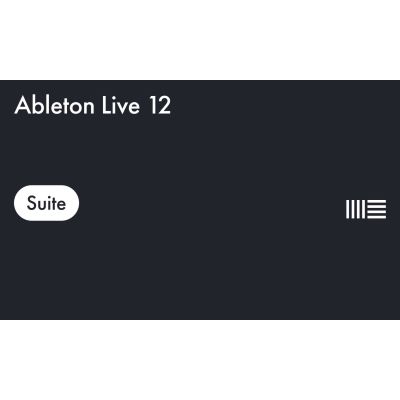
If the track count, instruments or functions later become insufficient, you can move to a larger edition rather than paying for every advanced feature on day one.
These additions are not required to get started. They simply show different ways to expand a software studio once you know what is actually missing from your productions.
Many MIDI controllers include a smaller DAW plus software instruments and effects. You can start with the supplied package and decide later whether you actually need a larger licence.
Record, arrange, program MIDI and mix complete songs.
Pianos, synthesizers, drums, bass and sample instruments inside your DAW.
Additional tools for mixing, sound design and monitoring.
Loops, drums, one-shots and other starting material for your productions.
Play virtual instruments and directly control functions in your music software.
Faders, encoders and transport buttons for more direct software control.
Connect microphones, guitars, headphones and studio monitors to your DAW.
Practical monitoring for recording, production, editing and late-night sessions.





Every program has a learning curve. Stay with one DAW for several projects before fundamentally changing your workflow.
Endless possibilities slow down decisions. Learn the basic tools of your DAW thoroughly first.
Presets are useful, but they do not replace an understanding of level, arrangement, EQ and dynamics.
Completed productions show you much more quickly which skills or tools are actually missing for your next project.
A clear full or entry-level version of an established DAW is suitable. Ableton Live Intro, for example, is deliberately more compact. What matters is that audio, MIDI, instruments, effects and export are included.
Yes, for first songs and for learning the Live workflow. Its 16 audio/MIDI tracks are sufficient for many manageable projects. An upgrade can be useful later when productions become larger.
Normally not at the beginning. First use the EQ, compressor, reverb, delay and instruments included with your DAW. Additional plug-ins should solve a specific problem or add a sound you actually need.
The DAW is the main production program. A plug-in normally runs inside this environment and adds, for example, a virtual instrument or an audio effect.
Audio contains the recorded sound. MIDI contains control data such as notes and velocity and only creates sound when it controls a virtual or external instrument.
No. Notes can also be drawn with the mouse. A MIDI keyboard does, however, make playing chords, melodies and virtual instruments much more direct.
It is not essential for pure MIDI and sample-based production. As soon as you want to connect microphones, guitars or studio monitors professionally, an audio interface becomes very useful.
Yes. A DAW, computer and headphones are fundamentally sufficient for electronic production, arrangement and editing. Recording microphones and instruments requires additional hardware.
Ableton Live, FL Studio and Bitwig are well-known candidates for beat and electronic production. The deciding factor is which pattern, clip or arrangement workflow suits you best.
Not necessarily. A smaller edition is often easier to understand. If the number of tracks, instruments or functions later becomes insufficient, you can upgrade specifically to a larger version.
Yes, particularly for beginners. Many controllers already include a smaller DAW, virtual instruments and effects. This allows you to create first projects without buying additional software immediately.
Work on small but complete songs. Learn exactly the function you need for the current project rather than studying every theoretical possibility of the software before making music.
To start producing music, you mainly need a DAW whose operating concept suits the way you want to work. A compact version such as Ableton Live Intro already provides audio recording, MIDI, instruments, effects and sounds and therefore allows you to create complete first productions.
Use the tools already included before buying additional software instruments and effect plug-ins. If you later need more pianos, synthesizers, bass instruments or specialised sound worlds, you can expand your setup specifically with collections such as Komplete, Absolute or specialised libraries.
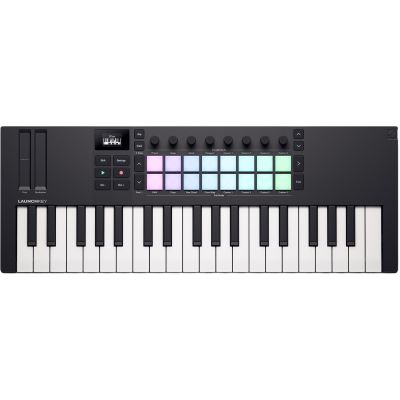
A MIDI controller with a software bundle can be especially attractive for beginners. Launchkey, Launchpad and Oxygen combine direct hardware control with production software and additional sounds. This lets you operate keyboards, pads, clips and virtual instruments musically from the beginning.
The most important progress does not come from owning more software, however. It comes from completing projects. Learn your DAW step by step, produce complete songs and expand your system only when you reach a specific technical or musical limitation.
Discover further Musikhaus Korn guides covering DAWs, audio interfaces, microphones, studio monitors, studio headphones, MIDI, recording and complete music production.