Motorized Fader Controller
Ideal for level rides, automation and several mixer channels. Motorized faders automatically follow the positions stored in the DAW when you change tracks or fader banks.

A DAW controller makes music software tangible. Instead of controlling volume, panorama, automation, transport and plug-in parameters exclusively with a mouse and keyboard, important functions become directly accessible through faders, knobs, buttons, displays or pads. The right concept depends on whether you mainly record, mix, automate, produce beats or integrate external hardware.
A controller does not need to have as many controls as possible. The useful hardware is the one that makes the functions you use in almost every session directly accessible.
Ideal for level rides, automation and several mixer channels. Motorized faders automatically follow the positions stored in the DAW when you change tracks or fader banks.
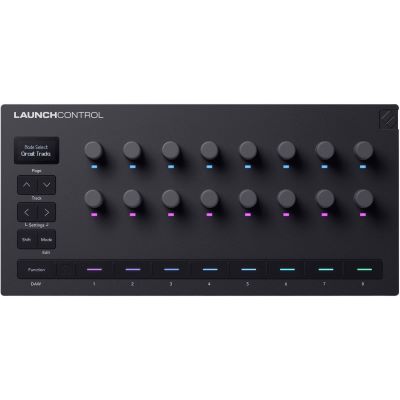
Multiple endless encoders are useful for EQ, compressors, sends, virtual instruments and extensive plug-in parameter sets.
RGB pads make clips, scenes and drum racks visible and allow a much more performance-oriented interaction with the DAW.
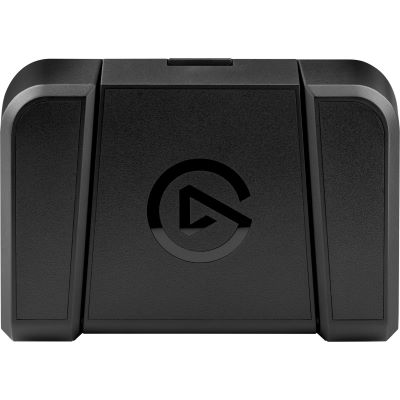
Transport controls, jog wheels, markers, monitoring functions and assignable commands save space and are especially useful for solo recording.
Motorized faders are especially valuable for mixing. Encoders are often more important for sound design. For Ableton-oriented performance, pads and clip matrices become increasingly useful.
Several channel strips with motorized faders, encoders, displays and Solo, Mute and Select buttons recreate important parts of a mixing console.
Instead of controlling eight channels simultaneously, one selected channel receives deeper access to inserts, sends and plug-in parameters.
The hardware mirrors specific software processors as directly as possible. Control position and labelling are oriented more closely towards the plug-in than the DAW mixer.
Pads, faders and encoders send control data to the DAW and can operate clips, instruments and freely assigned functions.
A MIDI controller primarily sends general control information. A dedicated DAW controller often adds a music-software-oriented layout, transport controls, displays or specific software integration.
These control protocols allow different DAWs to map standardized functions such as faders, panorama, Solo, Mute and transport to compatible hardware.
A universal protocol covers important basic functions. Dedicated DAW integration can additionally expose plug-ins, browsers, sends, displays and software-specific functions much more directly.
A motorized fader automatically follows the level position stored in the DAW. When you switch to another channel or another fader bank, the physical control moves to the actual software value.
This is particularly useful during automation. You can write a volume ride by hand, release the fader and immediately see and feel the current position of the track again.
Touch-sensitive faders can additionally detect when you actively touch the control and intervene in an automation pass.
This equipment is not essential for pure beat production. Producers and engineers who regularly work with vocals, bands or larger mixes benefit considerably more from full-length faders.

Devices such as the Nektar Panorama CS12 focus on especially deep integration with a particular software environment. This can expose functions that universal protocols do not address directly.
Systems supporting Mackie Control or HUI are useful when you work with different DAWs or want to keep the studio setup flexible.
Encoder and pad controllers can often be freely assigned. This provides enormous flexibility, but may require more initial configuration and parameter mapping.
Look at the manufacturer's current compatibility list for your exact DAW version and operating system. Basic protocol support and deep native integration are not the same thing.
| Type | Main Strength | Ideal For | Keep in Mind |
|---|---|---|---|
| Motorized Faders | Level & Automation | Mixing, Recording | Space and DAW protocol |
| Encoders | Many Parameters | Plug-ins, Sends, Synths | Mapping and feedback |
| Channel Strip | Deep Access | Logic, Editing, Mixing | Software-dependent integration |
| Pad Matrix | Clips & Performance | Ableton, Beats, Live | Less traditional mixer feel |
| Remote | Navigation & Shortcuts | Recording, Monitoring | Often system-specific |
Musikhaus Korn lists some of these devices as MIDI controllers rather than dedicated DAW controllers. For many producers, however, they can be the more practical way to control a DAW than a traditional motorized-fader console.
The keyboard handles notes and software instruments, while the control surface handles the mixer and automation.
For example, an SSL UF8 can handle tracks and level automation while an SSL UC1 makes EQ and dynamics processing directly accessible.
For electronic music, combining a Launchpad with a dedicated encoder controller can feel more direct than using a large mixing-console-style surface.
Dedicated control surfaces for recording, mixing and automation.
Pads, faders and encoders for software instruments and freely assignable functions.
Play notes while controlling DAW parameters, pads, plug-ins and instruments.
The software determines which controller integration and control protocol are most useful.
Connect recording, monitoring and studio technology to the computer independently of the control surface.
Tactile mixing becomes most useful when combined with a monitoring system you can rely on.
Alternative reference for recording, automation and detailed mix control.
Useful when controllers, synthesizers and other MIDI hardware need to be connected in larger setups.





Particularly if you record, automate or mix regularly. Even transport controls and a single physical fader can improve the workflow.
They are extremely useful for serious mixing and automation because the hardware follows the position stored in the DAW. For clip performance or sound design, they are less important.
Yes. Controllers use fader banks, allowing large projects to be controlled in groups of channels. Expandable systems can additionally provide 16, 24 or 32 physical channel strips.
They are control protocols through which a DAW and compatible controller exchange standardized mixer, transport and automation functions.
APC and Launchpad controllers are especially obvious choices for clip- and Session-oriented workflows. A motorized-fader system can additionally be useful for more traditional mixing.
Universal Mackie Control devices work for traditional mixer control. A specialized controller such as the Panorama CS12 additionally offers a particularly deep Logic-oriented channel-strip and plug-in workflow.
Yes. Depending on the controller, plug-ins are controlled through encoders, faders, automatic mappings or specially supported hardware/software systems.
Often yes for simple transport, mixer and plug-in functions. For precise automation, long motorized faders and dedicated displays provide clear advantages.
It makes navigation, scrubbing and precise movement of the playback position easier and is particularly useful during editing and recording.
Not for control alone. The DAW controller operates software, while the audio interface handles audio inputs and outputs, microphones, headphones and studio monitors.
Yes, provided the software and hardware support the configuration. Combining a motorized-fader control surface, MIDI keyboard and pad or plug-in controller can be particularly useful.
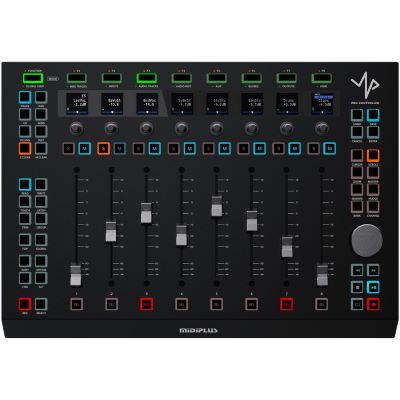
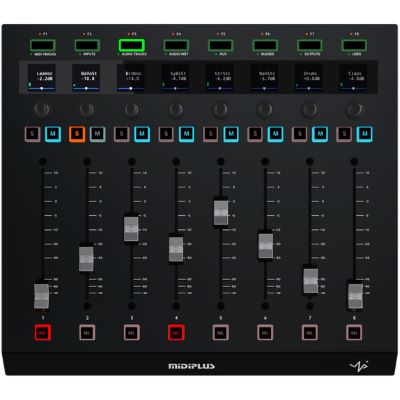
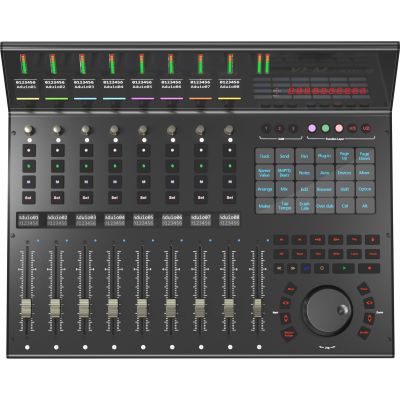
For mixing and automation, touch-sensitive motorized faders are among the most useful controller features. Systems such as MIDIPLUS Up, SSL UF8 and Icon V1-M combine several channel strips with displays, encoders and direct transport control.
If you mainly control plug-ins or individual channel strips, specialized hardware can be more useful than a large mixer-style controller. SSL UC1 concentrates on channel-strip and bus-compressor workflows, while Nektar Panorama CS12 provides particularly deep access to a Logic Pro-oriented workflow.
Traditional motorized faders are not necessarily the best choice for electronic music. Clip matrices such as APC Mini or Launchpad and encoder controllers such as Launch Control put Ableton, beat and performance workflows much more directly under your fingers.
Check your DAW first, then identify the steps you repeat most frequently, and only afterwards decide how many faders, pads or encoders you need. The best controller is the one that replaces repetitive mouse movements and integrates naturally into the way you already produce.
Discover further Musikhaus Korn guides covering music software, MIDI keyboards, audio interfaces, studio monitors, headphones, recording and complete music production.