Keyboard Amplifier
Practical when several keyboards, a playback source or, depending on the model, a microphone need to be connected directly. Mixer and speaker are combined in one compact unit.

Keyboard amp, studio monitor, stage monitor or active PA speaker? All of them can make a keyboard audible, but they are designed for different purposes. A keyboard amplifier combines speakers, amplification and often several inputs in one portable cabinet. Studio monitors are designed for controlled nearfield listening, stage monitors for your own orientation during a performance and active speakers for higher volume levels and sound reinforcement.
Choose the application first. A speaker for music production has different tasks from a cabinet that needs to compete with drums and guitar amplifiers or provide sound for an audience.
Practical when several keyboards, a playback source or, depending on the model, a microphone need to be connected directly. Mixer and speaker are combined in one compact unit.
For recording, virtual instruments and mixing, controlled stereo monitoring is more important than maximum volume. Two nearfield monitors form the typical listening setup.
A wedge is positioned close to you and directs the monitor signal towards the player. It is ideal when the main PA already provides sound for the audience.
For larger rooms, powerful volume and flexible sound reinforcement tasks, an active full-range speaker provides considerably more reserves and can be expanded into a stereo PA.
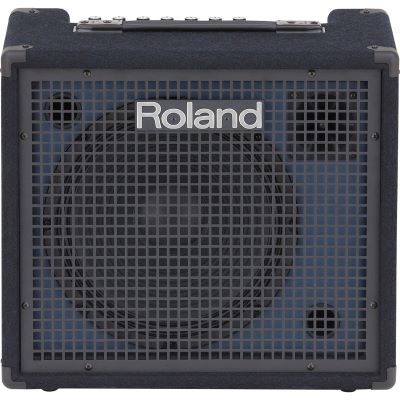
A traditional keyboard amp combines a power amplifier, full-range speaker system and several inputs. The Roland KC-80 and KC-200, for example, provide internal mixing facilities for several line signals. This allows keyboard players to build their rig without an additional small mixer.
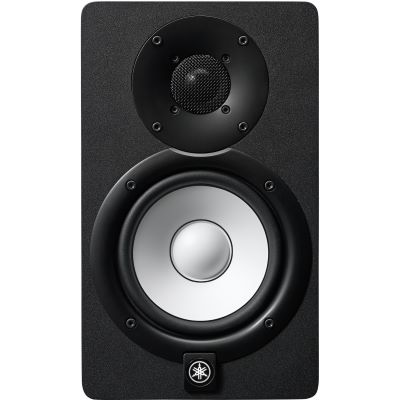
A studio monitor is normally positioned in the nearfield to the left and right of the listening position. During production, the objective is not simply to create the most impressive sound, but to evaluate piano, synthesizer, effects and mix balance reliably.
A wedge is positioned on the floor and aimed towards the player. This allows you to hear your keyboard clearly despite drums, guitars and the main PA. A separate system handles the audience sound.
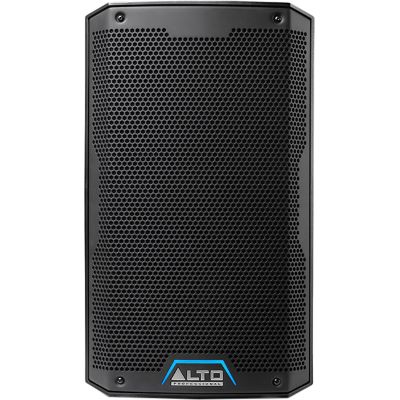
Many active PA speakers use multifunction cabinets and can be mounted on a stand or placed at an angle as a monitor. They are especially useful when one speaker needs to cover several live and sound reinforcement tasks.
| System | Typical Application | Stereo | Volume | Key Advantage |
|---|---|---|---|---|
| Keyboard Amp | Rehearsal, lessons, small performance | Depends on model | Medium to high | Several inputs in one unit |
| Studio Monitor | Production, recording, practice | Typically used as a pair | Controlled nearfield | Precise spatial monitoring |
| Stage Monitor | Personal live monitoring | Often mono | High | Focused dispersion towards the musician |
| Active PA | Audience, rehearsal, flexible sound reinforcement | With two speakers | High to very high | Large output reserves |
A single keyboard amp or stage monitor is often sufficient for your own monitor sound. The setup remains compact and requires only one position.
Many digital pianos, synthesizer patches, chorus effects and rotary effects use different information on the left and right channels. Two speakers preserve this spatial image.
Two correctly positioned studio monitors form a stereo triangle with the listening position. This makes panorama, reverb spaces and modulation much easier to evaluate.
Sound quality, low background noise and easily adjustable volume are more important than maximum power. Compact studio monitors or the keyboard's internal speakers are often sufficient.
The system needs enough reserves compared with drums and guitar amps. A keyboard amp, stage monitor or active full-range speaker is more suitable than a small desktop monitor.
If the speaker is used only as a personal monitor, focused positioning is important. If it also needs to cover the room, dispersion and output reserves become more relevant.
Synth bass and low piano registers require more cone area and headroom. In the studio, a suitable subwoofer can be added when the room and positioning make this worthwhile.
If your keyboard is mainly used at a desk for virtual instruments, synthesizers and recording and does not need to overpower a band, a pair of active studio monitors is a very useful solution.
Models with 4- to 6-inch woofers fit many home-studio workspaces well. An audio interface or monitor controller makes central volume control easier.
The monitors should be positioned as symmetrically as possible to the left and right, with the tweeters approximately at ear height.
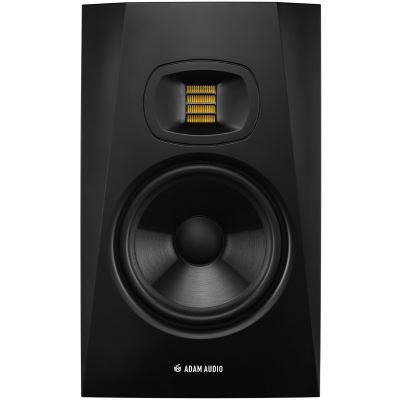
If a main PA is already available, you often do not need a second system for the audience. An active stage monitor provides your keyboard or monitor signal over a short distance.
Coaxial monitor systems can form a particularly compact point source. An active full-range speaker is more flexible when it also needs to work as a small PA or rehearsal-room speaker.
Depending on the model, multifunction cabinets can be mounted on a speaker stand or positioned at an angle on the floor.
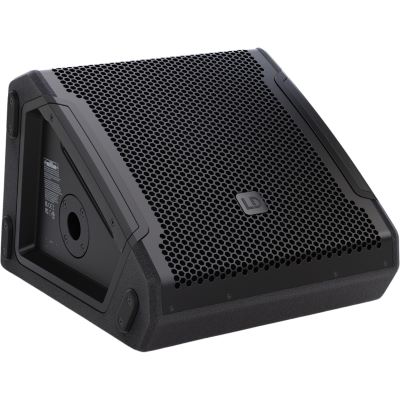
Choose the appropriate speaker class first. You can then compare size, connections, woofer size, transport weight and output reserves more effectively.
If a combo sits directly on the floor and mainly plays towards your legs, high frequencies are harder to hear. Raising or slightly angling it can improve perception.
The left and right monitors should have similar distances to the listening position and room boundaries wherever possible. Stands or pads help with height and decoupling.
A monitor does not need to cover the entire stage. Position it so that the relevant dispersion area reaches your listening position.
When using keyboards and vocals, speaker position and microphone direction affect the available gain before feedback. Test the setup at realistic levels before performing.






KC keyboard amplifiers and further solutions for electronic instruments.
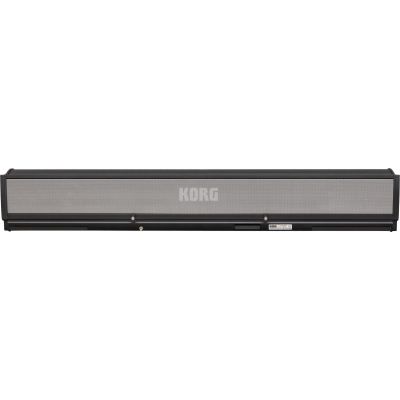
Dedicated speaker systems for compatible arranger keyboards.
HS studio monitors as well as active speakers and stage solutions.
Nearfield and studio monitors from compact desktop solutions to larger studios.
Active full-range speakers and professional multifunction monitors.
Active stage monitors and flexible PA solutions for musicians.
Test the same three sounds through a keyboard amp, studio monitor and active full-range speaker. With piano, listen to the dynamics; with synth bass, listen for clean headroom; and with pads, listen for spatial stereo effects. This quickly shows which speaker concept best suits the way you actually use your keyboard.
Learn about instrument types, number of keys, automatic accompaniment and keyboard accessories.
Combine nearfield monitors, subwoofers, stands and monitor controllers for production and the home studio.
Compare active wedges and multifunction monitors for rehearsals and live use.
Plan active speakers, subwoofers and complete PA systems for larger rooms and events.
A keyboard amplifier is particularly practical when you want to combine several instruments in a compact live setup. Studio monitors are the better choice for home studios, recording and detailed stereo monitoring. On stage, an active stage monitor ensures that you can hear your own playing reliably, while active full-range speakers can additionally handle sound reinforcement tasks.
Do not compare only wattage and woofer size. The number and type of inputs, stereo requirements, output reserves, transport, dispersion and positioning have at least as much influence on everyday usefulness.
This gives your keyboard exactly the amplification that matches your living room, studio, rehearsal room or stage.
From musical instruments and home-studio equipment to DJ gear and event technology, you can find more buying assistance in the central Musikhaus Korn shopping guide.