
Musikhaus Korn Microphone Guide
Microphone for Speech & Podcast: Record Voices Clearly and Intelligibly
Podcasting at a desk, voice-over in a home studio, livestreaming, interviews or online teaching: the most sensitive microphone is not automatically the best choice for speech. Your room, microphone distance, number of speakers and preferred workflow are more important. Dynamic broadcast microphones, condenser microphones and USB or XLR solutions each have their own strengths.
Podcast, Voice-Over & Streaming
USB & XLR Explained
Room Noise & Close-Miking Considered
Related Podcast and Speech Recording Categories
Podcast Microphone Quick Facts
Decide According to Your Workspace
Which Speech Microphone Fits Your Project?
Start by considering where and how you speak. A solo podcaster at a desk needs a different setup from two conversation partners, a mobile interview or a professional voice-over studio.
Dynamic Broadcast Microphone
When you speak close to the microphone, your voice becomes relatively strong compared with room reflections, computer fans and other distant sounds. This makes dynamic broadcast microphones especially attractive for many podcast desks.
Condenser Microphone
In a controlled environment, a condenser microphone can record speech with a very open and detailed sound. Its result changes noticeably with distance, orientation and room acoustics.
USB Microphone
The microphone, preamp and digital converter are combined in one unit. Connect it directly to a computer or compatible mobile device and begin recording without a separate audio interface.
XLR Microphone + Interface
For two or more speakers, an XLR setup is particularly flexible. Each microphone can have its own input, gain setting and, with suitable hardware, its own monitor or headphone mix.
Quick recommendation:
a solo speaker who wants the simplest possible setup can start
comfortably with USB. In a reflective living room, a dynamic
microphone used at short distance is particularly useful.
For an expandable podcast studio with several people,
XLR microphones plus an audio interface or podcast mixer
usually provide the greatest flexibility.
Two Important Microphone Approaches
Dynamic or Condenser Microphone for Speech?
Both designs can produce professional speech recordings. They simply encourage different working distances and recording techniques.
Dynamic Speech Microphone
Dynamic broadcast microphones are normally used comparatively close to the mouth. This supports a direct and controlled sound and helps place the voice in front of more distant noises in an ordinary home office.
- Very suitable for close speech
- Popular for podcasting, radio and streaming
- Passive models generally do not require 48 V
- Check that the interface provides sufficient clean gain
Condenser Microphone for Speech
Condenser microphones often provide higher output levels and reproduce fine speech detail clearly. Position, desk reflections and room acoustics therefore become immediately audible as well.
- Detailed voice-over and studio recording
- Useful in quiet rooms and controlled positions
- Many XLR models require phantom power
- Set distance and pop protection carefully
Why Does a Podcast Microphone Sound Fuller Up Close?
Directional microphones can produce a stronger bass response when the sound source moves very close to the capsule. This proximity effect is deliberately used in many broadcast productions.
An excessively short distance can, however, make the voice unnecessarily bass-heavy and less intelligible.
How Can Pop Noise Be Reduced?
You do not always need to speak exactly into the centre of the diaphragm. A slight angle can reduce direct air blasts.
An integrated or external pop filter provides additional protection against strong P, B and similar plosive sounds.
Rule for speech recording:
move the microphone closer to the voice, keep the distance
consistent and only then try to compensate for the room with
acoustic treatment or post-processing.
Choose the Right Workflow
USB or XLR Microphone for Podcast & Voice-Over?
The connection type determines how simple or expandable your recording system will be.
USB Microphone
Ideal for a single speaker and a straightforward desk setup. Many models include a headphone output, gain control, mute function or DSP processing.
You can therefore begin recording without a separate microphone preamp or audio interface.
XLR Microphone
The microphone and interface remain separate components. This allows you to add more microphones, change preamps or integrate a specialised podcast mixer later without replacing the microphones.
Hybrid Microphone
Models with USB and XLR combine both concepts. Use USB for the quickest possible start and later connect the same microphone to an interface or mixer through XLR.
Direct Overview
Which Microphone for Which Speech Application?
| Application | Good Starting Point | Connection | Important |
|---|---|---|---|
| Solo Podcast | Dynamic or USB microphone | USB or XLR | Close-miking, headphones |
| Voice-Over | Condenser or broadcast microphone | XLR | Room, pop filter, noise |
| Streaming | USB / hybrid microphone | USB-C | Mute, monitoring, DSP |
| Two-Person Podcast | 2 × XLR microphones | 2-channel interface | One microphone per speaker |
| Mobile Interview | Lavalier or handheld microphone | Mobile or wireless | Movement, wind, clothing |
| Video Podcast | Broadcast microphone on an arm | USB or XLR | Camera image and positioning |
More Important Than Many Plug-Ins
Set Microphone Distance & Room Position Correctly
Even a very good microphone cannot completely compensate for poor positioning. The closer your voice is to the microphone, the greater its level normally becomes relative to distant room reflections.
Do not leave the microphone unnecessarily far away on the other side of the desk. A microphone arm allows you to keep a consistent position close to the mouth without blocking the keyboard, monitor or camera.
Short working distances are particularly common with dynamic broadcast microphones. Condenser microphones benefit from a quiet workspace without strongly reflective surfaces immediately behind or in front of the speaker.
Curtains, bookshelves and other irregular or absorbent surfaces can be more helpful than a completely bare room.
For video podcasts, consider the camera image as well. A low-profile microphone arm can keep the microphone close to the voice without unnecessarily covering the face.

Podcast, Radio & Voice-Over
All Podcast Microphones
Dynamic XLR Microphones for Speech
XLR broadcast microphones are particularly useful when your podcast studio should remain expandable or when several speakers need to be recorded through a shared audio interface or podcast mixer.
XLR · Dynamic
Rode
PodMic
View Product
XLR · Dynamic
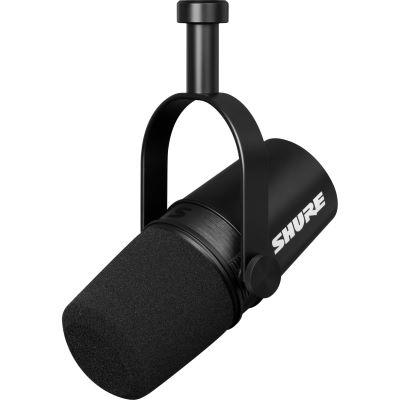
Shure
Motiv MV7-X
View Product
Broadcast
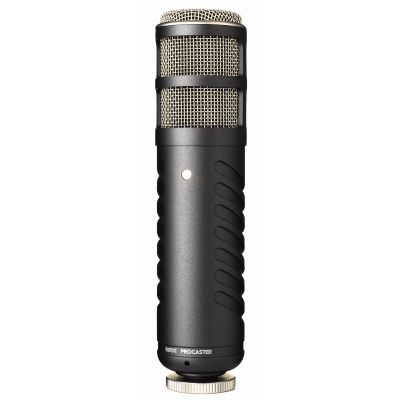
Rode
Procaster
View Product
Studio Classic
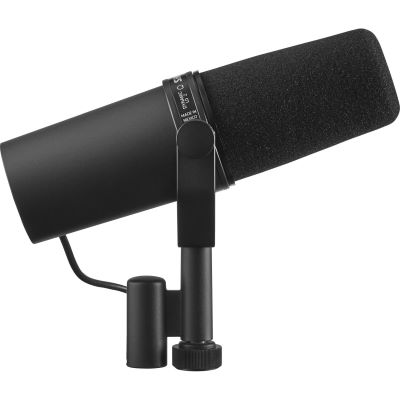
Shure
SM7B
View Product
Integrated Preamp
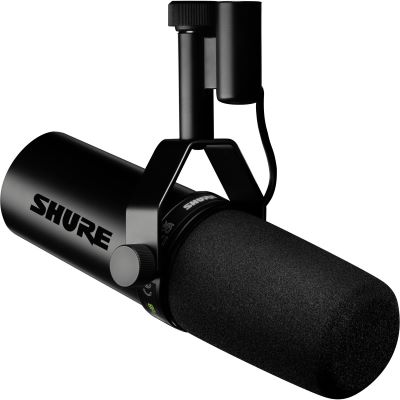
Shure
SM7dB
View Product
Gain matters:
passive dynamic broadcast microphones can require more
microphone-preamp gain than typical condenser microphones.
Check the available clean gain of your audio interface or mixer,
especially for quiet speakers.
Directly to a Computer or Tablet
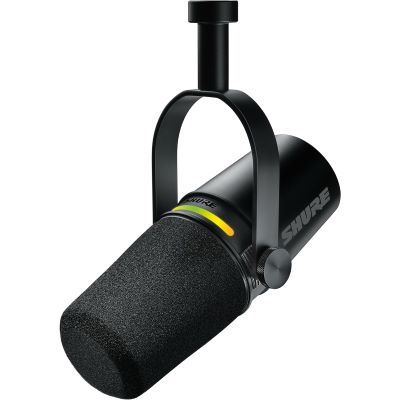
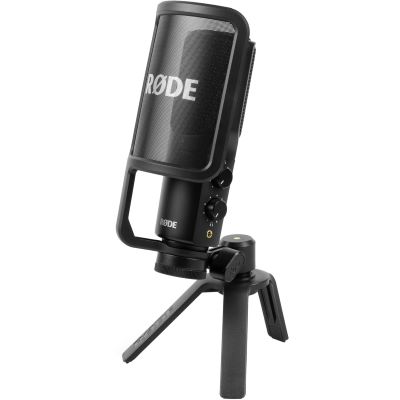
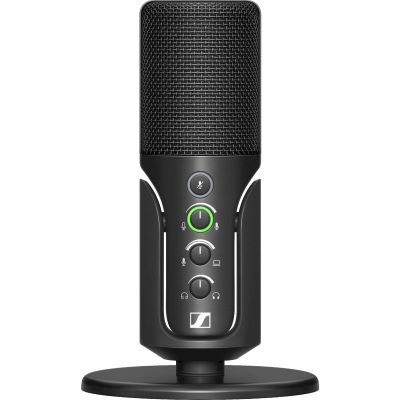
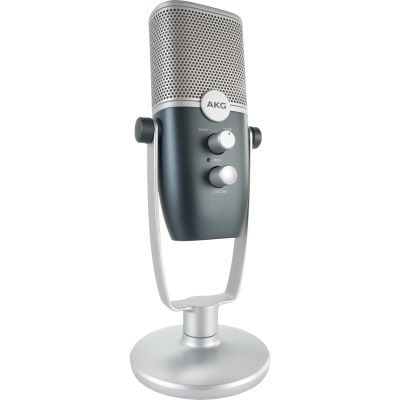
All USB Microphones
USB & Hybrid Microphones for Podcast and Streaming
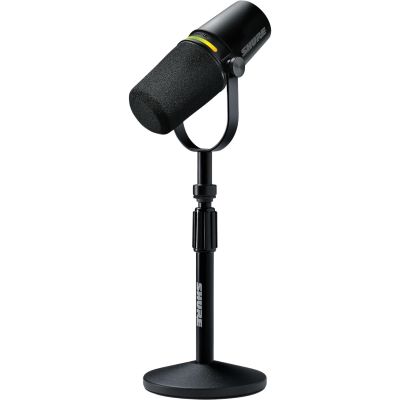
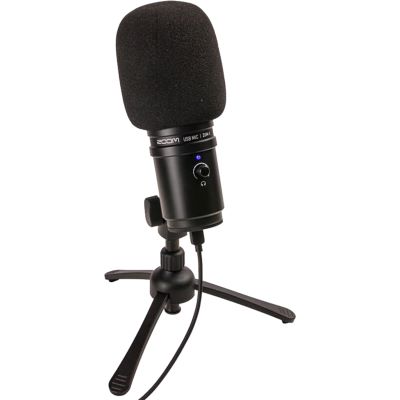
These models are particularly convenient for a single workstation. Hybrid microphones with an additional XLR output can later be integrated into a larger podcast studio.
Microphone Plus Useful Accessories
Podcast & Streaming Sets for a Quick Start
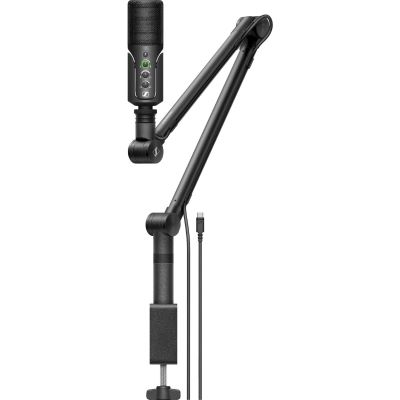
A complete set is especially useful when you do not yet own a microphone arm, headphones or desktop stand. Still check whether the microphone type and connection method fit your planned long-term workflow.
Away from the Podcast Desk
Which Microphone for Interviews, Presentations & Mobile Speech?
When the speaker moves, stands up or appears on camera, a desk-mounted broadcast microphone is not always the most practical solution.
Lapel Microphone
A small clip-on microphone stays close to the person speaking while remaining visually discreet. It is particularly useful for video, interviews, presentations and moderation.
Headset Microphone
The microphone capsule remains at an almost constant distance from the mouth even when the head moves. This is particularly convenient for teaching, presentations, webinars and lectures.
Mobile Wireless Setup
If speakers need to move freely or video should be recorded without a visible cable, a wireless system with a lapel or headset microphone can be the more practical solution.
The Workspace Around the Microphone
Which Accessories Does a Podcast Microphone Need?
Positioning and monitoring are a major part of a reliable podcast setup. The right accessories help you maintain a consistent speaking position and reduce avoidable noise.
Microphone Arm
A boom arm brings the microphone close to the mouth while leaving space on the desk. Check its load capacity and thread compatibility with the microphone.
Pop Filter & Windscreen
Pop protection reduces strong air blasts at short speaking distances. Some broadcast microphones already include internal pop filtering.
Studio Headphones
Closed headphones allow you to monitor your own voice, jingles and conversation partners without allowing the playback to spill back into the microphone.
Audio Interface
XLR microphones require suitable microphone inputs. For two conversation partners, at least two microphone preamps should be available simultaneously.
Clean Speech Without Unnecessary Processing
Common Podcast Microphone Mistakes
Microphone Too Far Away
A microphone at the far end of the desk captures proportionally more room. Move it closer to the speaker and reduce the input gain afterwards.
Two Speakers on One Microphone
This can work for an informal conversation, but one microphone per person provides far more control for clean individual tracks.
Recording Level Too High
Laughter and emotional emphasis can be significantly louder than normal speech. Leave sufficient headroom for these peaks.
Only Treating the Room
Acoustic treatment can help, but microphone distance, orientation and speaking position should be optimised first.
Manufacturer Worlds
Brands for Podcasting, Streaming & Speech Recording
Explore broadcast, USB, studio and mobile speech microphones directly in the manufacturer worlds at Musikhaus Korn.




Frequently Asked Questions
Answers About Microphones for Speech & Podcasting
Which Microphone Is Best for a Podcast?
In an ordinary living or working room, a dynamic microphone used at short distance is an excellent starting point. If you want the simplest possible workflow, choose a USB or hybrid microphone. For several speakers, an XLR setup with several microphone inputs is particularly flexible.
Dynamic or Condenser Microphone for Speech?
Dynamic broadcast microphones work particularly well for close-miking. Condenser microphones often provide especially detailed reproduction, but they also respond more noticeably to microphone position and the recording environment.
Is USB or XLR Better for Podcasting?
USB is particularly convenient for one workstation. XLR is more flexible when several speakers, interchangeable microphones or a dedicated podcast mixer are planned.
How Far Should I Be from a Podcast Microphone?
Many dynamic broadcast microphones work very well at a distance of only a few centimetres. Condenser microphones can also be used at somewhat greater distances. The important factors are tone, plosive noise and the proportion of room sound.
Does Every Podcast Guest Need Their Own Microphone?
For clean productions, this is recommended. It allows level, EQ, dynamics and editing to be adjusted separately for every speaker.
Why Does My Voice Sound Reverberant in a Podcast?
A common reason is that the microphone is too far away or that the room has strong reflections. First move the microphone closer to the speaker and then experiment with its position and the room.
Do I Need a Preamp for a Dynamic Podcast Microphone?
An XLR microphone needs a microphone preamp in an audio interface or mixer. Lower-output dynamic microphones can require comparatively high gain. Models with an integrated active preamp can reduce this requirement.
What Is the Benefit of a Headphone Output on a USB Microphone?
You can monitor your own voice directly while also hearing jingles, computer audio or remote conversation partners. This makes it easier to maintain a consistent speaking position and volume.
Which Microphone Is Suitable for Voice-Over?
In a quiet and controlled room, a condenser microphone is a common starting point. Dynamic broadcast microphones are also excellent, especially when a direct close-miked voice sound is desired.
Which Microphone Is Suitable for Video Interviews?
Lapel and headset microphones maintain a consistent distance from the voice and can remain visually unobtrusive. A suitable handheld microphone is another practical option for traditional interview situations.
The Decision Summarised
Microphone for Speech & Podcast: Buying Guide
For podcasts and speech, microphone position is at least as important as the microphone design itself. Dynamic broadcast microphones are normally used close to the mouth and are therefore particularly interesting for normal living and working rooms.
Condenser microphones reproduce speech with a high level of detail and show their strengths especially in quiet and controlled recording spaces. USB microphones provide the simplest introduction for a single speaker because the microphone preamp, digital converter and often headphone monitoring are already integrated.
XLR systems provide more expansion potential and are particularly useful when two or more people need to be recorded simultaneously. Also consider the polar pattern, maintain a consistent microphone distance and leave enough recording headroom for loud passages.
For interviews and presentations, lapel or headset microphones can be more practical than a desk-mounted broadcast microphone. This creates a speech-recording setup that is not only technically capable but also suited to the way you actually work.
More Buying Advice
From the Podcast Microphone to a Complete Recording Setup
The Musikhaus Korn guide contains further advice about microphones, audio interfaces, home studios, headphones, streaming, instruments and complete recording technology.