Musikhaus Keks
Welcome!
Our cookies offer you a fast, relaxed and full-featured shopping experience. Some are necessary to operate the website and its functions. Others help us to improve our services. If you agree to this, simply consent to the use of cookies for preferences, statistics and marketing by clicking on "OK". Alternatively, you can deactivate individual cookies under "Customise cookies" or all cookies, except those required for the function of our website, under "Reject all".
Musikhaus Korn Buying Guide

Choosing a MIDI Keyboard: Keys, Pads & DAW Control

25, 37, 49, 61 or 88 keys? Mini keys or hammer action? Do you need drum pads, faders, aftertouch or a classic MIDI output? The right MIDI keyboard depends not only on the space available but above all on whether you produce beats, play virtual synthesizers, arrange orchestral music or want to control a hardware synthesizer.

25 to 88 keys DAW & software instruments Studio & hardware synthesizers
Start with Your Workflow

Which MIDI Keyboard Fits Your Music Production?

A beatmaker needs different controls from a pianist or film composer. First decide what you will do most often with the controller. Once that is clear, the required size becomes much easier to determine.

25–37
Beats & Mobile Production

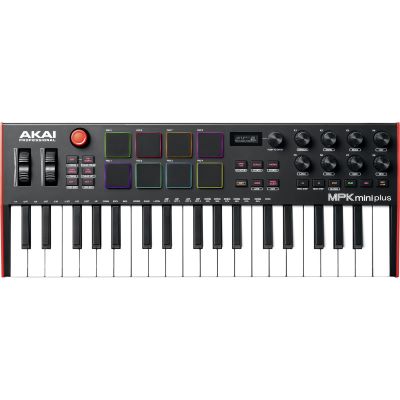
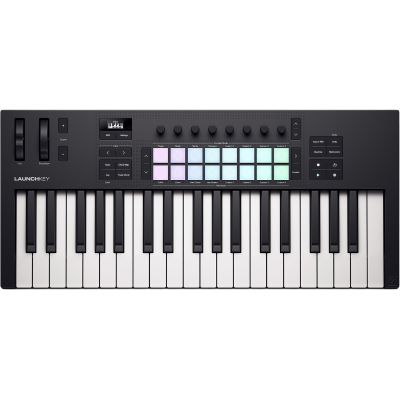
25 to 37 Keys with Pads

Compact controllers fit on small desks and into mobile setups. Pads are useful for drums, samples and clip-oriented production. Octave buttons extend the otherwise limited keyboard range.

49
Home Studio All-Rounder

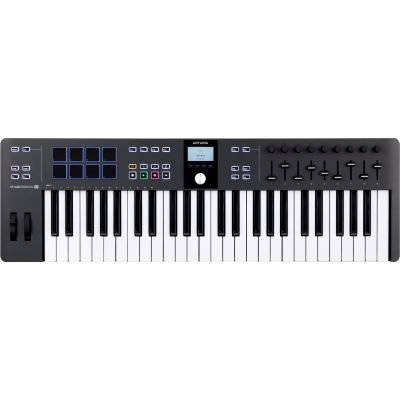
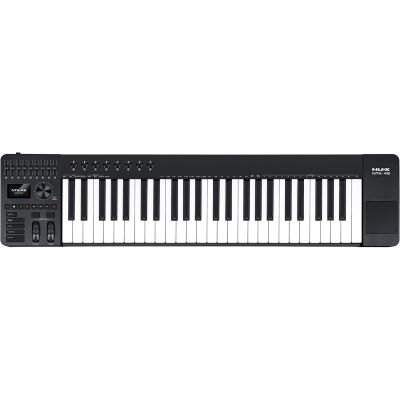
49 Keys

Four octaves provide plenty of space for chords, bass, melodies and synth lines without taking over the entire studio desk. For many producers, 49 keys are therefore a very flexible middle ground.

61
Songwriting & Arrangement

61 Keys

Five octaves make two-handed playing, more complex chords, splits and larger virtual instruments easier, while the controller remains more portable than a full 88-key master keyboard.

88
Piano & Orchestra

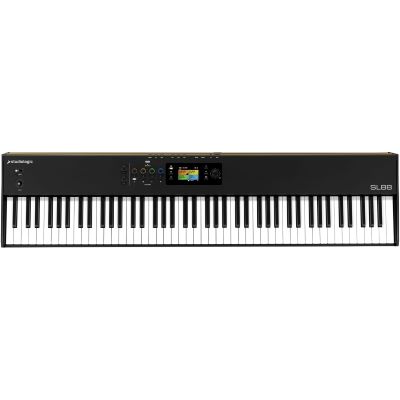
88 Keys with Hammer Action

For virtual grand pianos, orchestral libraries and pianist-oriented recording, playing feel takes priority. Weighted keys are normally more important here than a large number of drum pads.

Quick recommendation: choose 25 to 37 keys for maximum mobility, 49 for a compact home studio, 61 for versatile keyboard playing and 88 weighted keys for piano and extensive arrangements.
A Controller Rather Than a Standalone Instrument

What Is a MIDI Keyboard?

Control Information

The Keyboard Transmits Performance Data

MIDI can transmit information such as which key you played, how strongly it was struck and which knobs, faders or other controllers you moved. A DAW, virtual instrument or compatible external hardware can respond to this data.

Important Distinction

MIDI Is Normally Not an Audio Signal

Pressing a key on a controller does not automatically create an audible piano or synthesizer sound. The actual sound usually comes from software or an external sound generator.

Sound Generation

Most MIDI Keyboards Do Not Have Speakers

Master keyboards are primarily input devices. There are individual special models with integrated sounds, but with a classic MIDI keyboard the computer, smartphone, tablet or external hardware normally provides the sound generation.

Computer Setup

USB Simplifies the Home Studio

With many controllers, one USB cable to the computer is enough. It transmits MIDI data and frequently supplies power to the keyboard at the same time. For external hardware, DIN MIDI, TRS MIDI or CV/Gate can provide additional options.

Typical signal path:
MIDI Keyboard → USB / MIDI → DAW → Virtual Instrument → Audio Interface → Headphones / Monitors
More Keys Mean More Playing Range — and More Space

25, 32, 37, 49, 61 or 88 Keys?

25 Keys

Beats & Mobile Ideas

32 Keys

Compact with Extra Range

37 Keys

Three Octaves for Songwriting

49 Keys

Home Studio All-Rounder

61 Keys

Five Octaves for Arrangements

88 Keys

Piano & Orchestra

Mini Keys Save the Most Space

Mini keys are practical for beatmaking, synth lines and mobile use. Pianists and players with larger hands should try them before buying because their width and leverage feel significantly different from full-size keys.

49 and 61 Keys Are Versatile Studio Formats

Both sizes allow chords and two-handed parts without necessarily requiring the space of a complete piano. 61 keys give you additional freedom for splits and orchestral setups.

Choose 88 Keys Only If You Will Use Them

They are ideal for piano playing. A beatmaker, however, loses valuable desk space if the controller is mainly used for drums and short synth lines.

The Most Important Physical Difference

Weighted, Semi-Weighted or Synth-Style?

Keyboard Playing Feel Especially Suitable For Keep in Mind
Mini Keys Small and light Mobile setups, beats, small studios Less piano-like
Synth-Style Fast and light Synthesizers, pop, electronic music Less piano resistance
Semi-Weighted Medium resistance Versatile studio keyboards Not a full hammer-action feel
Hammer Action Piano-like and heavier Piano, orchestral work, film scoring Larger and heavier
Velocity sensitivity and weighting are not the same: a light synth-action keyboard can still detect how strongly you play. Weighting describes the mechanical resistance of the key.
More Control without Constantly Reaching for the Mouse

Choose Pads, Faders, Knobs and Aftertouch Sensibly

Beatmaking

Drum Pads

Velocity-sensitive pads work well for kick, snare, hi-hat, samples and clips. For hip-hop, electronic music and finger drumming, they can be more useful than additional keys.

Mixing & Orchestration

Faders

Faders can control mixer channels, orchestral dynamics, virtual drawbars and automation. Nine faders are particularly convenient for typical groups of eight channels plus a master control.

Plug-In Control

Encoders and Rotary Knobs

Filters, resonance, plug-in parameters and effects can be changed more directly. Good automatic software mapping can save a considerable amount of manual assignment work.

Expression

Aftertouch

After the initial key strike, additional pressure is transmitted as control information. It can be used for vibrato, filters or other modulation when both controller and sound generator support the desired function.

Software Integration Can Matter More Than the Number of Controls

Which DAW Do You Want to Control?

Many controllers provide transport buttons for Record, Stop, Play and navigation. More extensive models can control the mixer, plug-ins, virtual instruments and browser directly. The important point is how deeply the controller actually integrates with your preferred software.

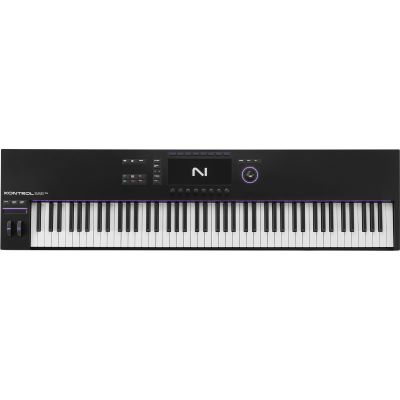
Specialised controllers can be useful. Novation's FL Keys series, for example, concentrates on an FL Studio-oriented workflow, while Native Instruments KONTROL keyboards are particularly closely integrated with compatible software instruments.

Computers and Hardware Require Different Routes

Understanding USB, MIDI DIN, TRS and Pedal Inputs

Computer

USB MIDI

This is the standard route to a computer. One cable can transmit MIDI data and frequently power the controller at the same time. A direct connection between two USB devices, however, normally requires a suitable USB host.

Hardware Synths

5-Pin MIDI

Particularly useful for hardware synthesizers, desktop modules and other traditional MIDI equipment because the connection can be made without a computer.

Compact Hardware

TRS MIDI

Compact devices sometimes use 3.5 mm jack connectors for MIDI. The adapter and wiring type must match the specific equipment. Do not connect devices solely because the plug shape appears to fit.

Playing Expression

Sustain & Expression

A sustain pedal is important for piano parts. An expression pedal can control volume, orchestral dynamics or other parameters while you continue playing.

Four Typical Controller Classes

Which Format Fits Which Application?

Size Strength Typical Workflow Recommended Extras
25–37 Mobile and compact Beatmaking, synth lines, mobile production Pads, arpeggiator, chord mode
49 Balanced all-rounder Home studio, pop, electronic production Pads, faders, encoders
61–73 Large playing range Songwriting, arrangement, live use Splits, aftertouch, DAW control
88 Full piano range Piano, film, orchestra, composition Hammer action, pedals, expression
From Mobile Beat Controller to Piano Master Keyboard

50 MIDI Keyboards by Size and Workflow

Use the number of keys as a first rough filter. Within each group, compare keyboard feel, pads, faders, aftertouch, DAW integration and hardware connections.

From Controller to a Complete Production Workspace

Which Accessories Do You Need with a MIDI Keyboard?

Virtual Instruments

Computer and Software

Virtual instruments require a compatible computer or suitable mobile device together with appropriate music software.

Audio

Audio Interface

An audio interface is not required simply to make USB MIDI work. It becomes important when microphones, instruments, professional headphones or studio monitors are integrated into the same setup.

Monitoring

Studio Headphones

Headphones are particularly practical for production in small rooms. They are connected to the computer or, preferably, to a suitable audio output or audio interface.

Hardware Setup

MIDI Interface & Cables

Additional MIDI inputs and outputs can be useful when several external synthesizers are involved. A MIDI interface keeps larger hardware setups more organised.

Buy the Controller for Your Workflow

Common Mistakes When Choosing a MIDI Keyboard

Mistake 1

Buying Too Large

An 88-key controller is impressive, but for beatmaking on a small desk it is frequently unnecessary. Measure the available workspace before buying.

Mistake 2

Looking Only at the Number of Keys

You physically interact with a controller every day. Keyboard feel, pads, knobs and software integration can be more important than ten additional keys.

Mistake 3

Forgetting Hardware Connections

If you later want to control a desktop synthesizer without a computer, make sure the controller provides a suitable MIDI output. USB alone does not solve every hardware-routing situation.

Mistake 4

Confusing a Controller with a Sound Generator

Most MIDI keyboards need software or external hardware before an actual instrument sound can be heard.

Controller Brands at Musikhaus Korn

Manufacturers of MIDI Keyboards and Master Keyboards

Frequently Asked Questions before Buying a Controller

Answers about Choosing a MIDI Keyboard

How Many Keys Should My First MIDI Keyboard Have?
For limited space and beat production, 25 to 37 keys are practical. 49 keys are a good home-studio all-rounder. 61 keys suit more extensive keyboard playing, while 88 keys are particularly suitable for piano and orchestral arrangements.
Can a MIDI Keyboard Produce Sound on Its Own?
Most traditional MIDI keyboards do not contain their own sound generator. They transmit control information to software or external hardware. Individual special models may additionally include internal sounds.
Do I Need an Audio Interface for a MIDI Keyboard?
Normally not for a pure USB-MIDI connection to a computer. An audio interface becomes useful when you want to record audio, connect professional studio monitors or work with professional audio connections and low-latency monitoring.
Are 49 or 61 Keys Better?
49 keys save space and are enough for many productions. 61 keys provide more freedom for two-handed playing, complex chords and larger split areas. The physical space available in the studio should influence the decision.
What Is Aftertouch Useful For?
After the normal key strike, additional pressure can be transmitted as MIDI information. This can control vibrato, filters, volume or other parameters. The software instrument or hardware sound generator must support the desired function.
Do I Need Drum Pads on My MIDI Keyboard?
Not necessarily. They are very practical for beatmaking and triggering samples. If you mainly record piano, strings or orchestral libraries, good keys and faders may deserve a higher priority.
What Are Faders on a MIDI Keyboard Useful For?
They can control mixer channels, virtual organ drawbars or orchestral parameters such as expression and dynamics. Several faders are especially useful in film-music and orchestral-production workflows.
Can I Control a Hardware Synthesizer with a MIDI Keyboard?
Yes, provided a technically compatible MIDI connection is available. A controller with a traditional MIDI output makes this especially straightforward. With USB connections, you must determine which device provides the necessary host functionality.
Is Hammer Action Better for Music Production?
Not in general. It is excellent for piano parts. Synth leads, fast organ passages and electronic music can feel more comfortable on a lighter keyboard.
What Is the Difference between a MIDI Keyboard and a MIDI Controller?
With a MIDI keyboard, a musical keyboard is the central control element. A general MIDI controller may instead concentrate on pads, faders, encoders or other controls and does not necessarily include piano-style keys.
Which MIDI Keyboard Is Suitable for FL Studio?
Controllers with integration designed specifically for FL Studio can provide particularly convenient control. The number of keys and playing feel remain important, so software integration should be considered as an additional purchasing criterion rather than the only one.
What Is a Master Keyboard?
The term describes a controller used to centrally play and control other sound generators or software. Large master keyboards frequently have 61 to 88 keys together with extensive zone, pedal and controller functions.
Test the Keyboard and Workflow Together

Still Unsure between 37, 49 and 61 Keys?

Play the same chords, bass lines and melodies on each size and then operate the software functions you use most often. Also check the controller's actual width on your studio desk. A controller that can remain permanently set up is often used more frequently than a larger model that has to be packed away after every session.

Develop the Production Setup Further

Related Areas around MIDI and Music Production

Keyboard Concepts

Keyboard Guide

Put MIDI keyboards, conventional keyboards, pianos and synthesizers into context as different keyboard-instrument concepts.

Sound Generation

Synthesizers

Discover hardware sound generators that can be played and controlled from a MIDI or master keyboard.

Alternative Controls

MIDI Controllers

Compare pads, faders, encoders and other specialised control elements without the main focus being a traditional musical keyboard.

Complete Studio

Recording & Studio

Combine audio interface, headphones, monitors, software and MIDI hardware into a complete music-production workspace.

The Best Controller Fits Your Hands, Software and Workspace

Choosing a MIDI Keyboard: Keys, Pads & DAW Control

When choosing a MIDI keyboard, the number of keys is the easiest first filter. Compact controllers with 25 to 37 keys are suitable for beatmaking and mobile production, 49 keys form a flexible middle ground and 61 keys provide plenty of room for songwriting and arrangements. Piano and orchestral players often benefit from an 88-key master keyboard with weighted hammer action.

The controls are the next deciding factor. Pads support drum and sample workflows, faders simplify mixing and orchestral automation, encoders control plug-ins and aftertouch adds another level of musical expression. USB MIDI is particularly convenient for computer production, while traditional MIDI outputs make direct control of external synthesizers easier. The result is a controller setup that not only works technically but actively speeds up your musical workflow.

Choose More Instruments and Equipment with Confidence

From musical instruments and home-studio equipment to DJ and event technology, find more step-by-step buying guidance in the central Musikhaus Korn guide.