Musikhaus Keks
Welcome!
Our cookies offer you a fast, relaxed and full-featured shopping experience. Some are necessary to operate the website and its functions. Others help us to improve our services. If you agree to this, simply consent to the use of cookies for preferences, statistics and marketing by clicking on "OK". Alternatively, you can deactivate individual cookies under "Customise cookies" or all cookies, except those required for the function of our website, under "Reject all".
Musikhaus Korn Buying Guide

Guitar Recording at Home: Record Your Guitar Properly

An electric guitar can now be recorded quietly and directly through an audio interface, modeler or multi-effects processor. If you want to capture the sound of your own amplifier, you can microphone the guitar amp instead. With acoustic guitars, microphones and built-in pickups provide further recording options. This guide helps you choose a signal path that suits your room, sound and workflow.

Electric & acoustic guitar Interface, amp & modeler Home recording without a large studio
Four Routes to a Guitar Track

How Do You Want to Record Your Guitar?

The most important decision comes before buying the first piece of recording equipment: do you want to work as quietly and flexibly as possible, or do you want to capture the exact sound of your real amplifier or acoustic guitar in the room?

Quiet & Flexible

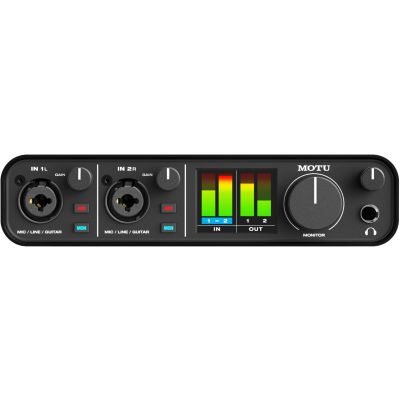
Electric Guitar Directly into an Audio Interface

The guitar connects to an instrument or Hi-Z input. Amplifier and cabinet sound are then generated in the recording software. This route is particularly useful in apartments and for late-night recording.

Complete Sound Before the DAW

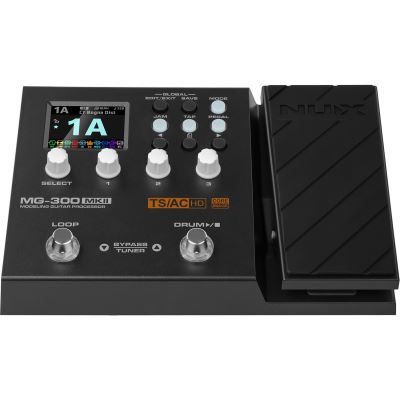
Record a Modeler or Multi-Effects Processor

Amp, cabinet and effect sounds are already generated inside the device. Many modern systems can additionally connect directly to a computer via USB as an audio interface.

Real Speaker Sound

Microphone a Guitar Amplifier

An instrument microphone is positioned in front of the speaker and recorded through a microphone input. Microphone position and room volume therefore become part of the recorded guitar sound.

Natural Resonance

Record an Acoustic Guitar with a Microphone

A suitable microphone captures the strings, body and room. With an electro-acoustic guitar, the built-in pickup can additionally be recorded onto a second track.

For a straightforward start: an electric guitar, an audio interface with an instrument input, headphones and a DAW are already sufficient to record complete guitar tracks at home.
The Quietest Recording Route

Record an Electric Guitar Directly through an Audio Interface

The Instrument Input Is Designed for the Guitar Signal

Passive electric guitars produce a different type of signal from microphones and conventional line-level sources. Use the dedicated instrument or Hi-Z mode provided by the audio interface. Connect the guitar with a normal instrument cable.

The Dry DI Signal Keeps Your Options Open

Without amp simulation, a directly recorded electric guitar initially sounds unusually dry. That is also its advantage: amplifier, cabinet, microphone model and effects can be changed later in the software without recording the guitar performance again.

Amp Simulation Becomes Part of the Direct-Recording Sound

A virtual guitar amplifier recreates the behaviour of amplifier stages and frequently also speaker cabinets and microphone arrangements. Check which amp and cabinet simulations your DAW already includes or whether you want to add another amp-modeling solution.

A Clean DI Track Makes Reamping Possible Later

A clean guitar recording can later be routed back through a real guitar amplifier. A suitable reamping device converts the interface output into a signal designed for the amplifier input.

Finished Guitar Sound without a Loudspeaker

Recording with a Modeler or Multi-Effects Processor

A modern modeler can recreate distortion pedals, amplifiers, speaker cabinets, microphone arrangements and effects inside a single device. This is especially convenient when you want to use the same basic sound for practising, recording and later on stage.

USB Recording

Connect Directly to the Computer

If the modeler includes an audio-interface function, it can communicate directly with the DAW without a separate interface. Check which input and output channels the device makes available over USB.

Studio Integration

Use the Line Outputs

Alternatively, connect the outputs of the modeler to suitable line inputs on your studio interface. This keeps additional microphones and instruments connected to the same central audio interface.

Maximum Flexibility

Record Wet and Dry at the Same Time

Some processors can provide a processed guitar track and an unprocessed signal simultaneously. You keep the finished playing sound while retaining the option to choose a different amp sound later.

Loudspeaker and Room Become Part of the Recording

How to Microphone a Guitar Amplifier at Home

Recording a real amplifier captures the exact combination of amplifier, loudspeaker and microphone position. A dynamic instrument microphone is a straightforward starting point.

  • Begin with the microphone positioned close to one speaker.
  • Move it between the centre and edge of the speaker.
  • Compare every new position using the same guitar passage.
  • Move the microphone before making major EQ changes.
  • When using several microphones, check their phase relationship.

Very close to the centre of the speaker, the result may sound more present and direct. Moving the microphone towards the edge changes the tonal balance. Just a few centimetres can therefore make a larger difference than substantial equalizer adjustments.

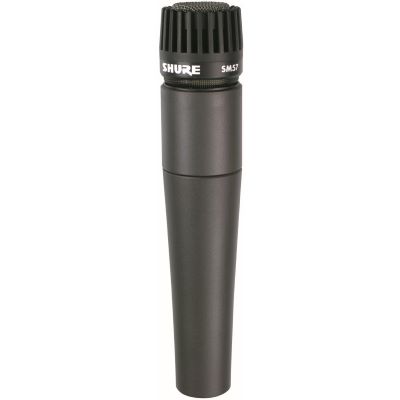
Shure SM57 dynamic instrument microphone for recording electric guitar amplifiers
A dynamic instrument microphone is a practical starting point for recording a guitar loudspeaker.
Important amplifier connection warning: never connect the normal speaker output of a tube amplifier directly to a conventional audio interface, instrument input or ordinary DI input. The speaker output requires the load specified by the amplifier manufacturer. Silent recording from a speaker output therefore requires a loadbox or recording solution explicitly designed for that application and the correct impedance.
Record Strings, Body and Room Together

How to Microphone Steel-String and Classical Guitars

An acoustic guitar changes significantly with microphone placement. A useful balanced starting point is to place the microphone at some distance and aim it towards the area around the 12th fret. Then fine-tune position and angle by ear.

Starting Point

Around the 12th Fret

This position can provide a balanced combination of string detail and body resonance. Adjust distance and angle afterwards to suit the particular instrument.

More Body

Move towards the Soundhole

The result becomes fuller but may quickly become too bass-heavy if the microphone points directly into the soundhole. Small movements can produce a large change.

Electro-Acoustic Guitar

Record the Pickup as Well

The built-in pickup can be recorded in parallel. Microphone and pickup tracks can then be blended later during mixing.

Room

Reduce Background Noise

Computer fans, traffic and room reflections are also captured by the microphone. Choose a quiet position and test the setup before recording the final take.

Record Cleanly Instead of Repairing Later

Set Recording Level, Latency and Monitoring Correctly

Input Level

Leave Enough Headroom

Set the recording level so that even strong pick attacks do not cause digital clipping. A slightly quieter clean recording is easier to process than a track already distorted by overload.

Playing through Software

Use a Smaller Buffer

With software monitoring, a smaller audio buffer reduces the delay between the pick attack and the signal you hear, but increases the load on the computer.

Low-Latency Workflow

Use Direct Monitoring

Many interfaces can route the input directly to the headphones before the signal passes through the computer. This is useful when software latency makes playing uncomfortable.

Mixing

Increase the Buffer Later

Once you are no longer playing live into the project, the buffer can be increased. The computer then has more time to process plugins and a larger number of audio tracks.

Practical monitoring tip: if Direct Monitoring lets you hear the guitar immediately but the same track is also audible again with a slight delay from the DAW, switch off software monitoring for that recording track. Otherwise you hear the direct and computer-processed signals simultaneously.
Four Recording Routes Compared Directly

Which Method Suits Your Home Studio?

Method Volume You Need Flexibility Later Particularly Useful For
DI + Software Amp Very quiet Interface, DAW, amp simulation Very high Apartment, editing, reamping
Modeler Very quiet Modeler, USB or interface High to medium Quick finished sounds
Amp + Microphone Audible to loud Amp, microphone, interface Lower Your own amplifier sound
Acoustic + Microphone Acoustic Microphone, interface, quiet room Medium Natural acoustic-guitar sound
Recording and Judging the Mix Are Different Tasks

Headphones or Studio Monitors for Guitar Recording?

Recording

Studio Headphones

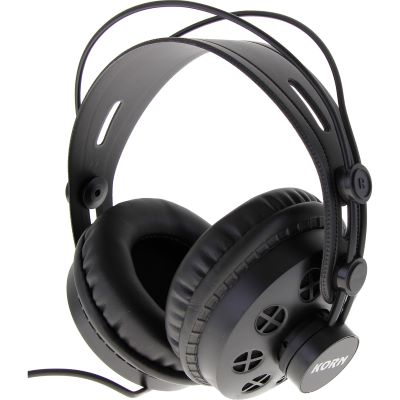
Closed studio headphones are particularly useful while recording because they reduce the amount of playback reaching an open microphone. They also provide controlled monitoring in small or acoustically difficult rooms.

Mixing

Active Studio Monitors

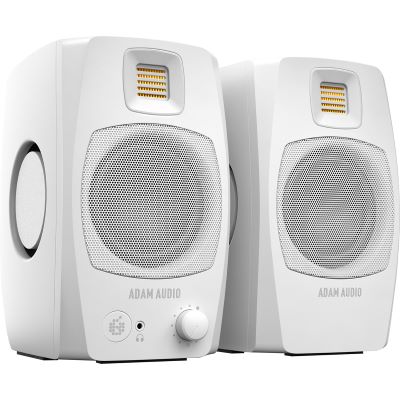
Active studio monitors connect directly to the audio interface and provide a spatial reference for mixing. Their placement and the room strongly influence what you hear, so good headphones remain a useful second reference even when monitors are available.

Sorted by Function in the Recording Setup

50 Suitable Products for Guitar Recording at Home

You do not need every product group at the same time. Choose your preferred recording method first and then add only the components your particular signal path actually requires.

Better Takes Instead of More Plugins

Common Guitar Recording Mistakes

Mistake 1

Recording with Too Much Gain

More distortion can sound impressive in isolation but may lose definition in a full mix. Doubled rhythm guitars in particular often benefit from less gain than expected.

Mistake 2

Judging Only the Solo Guitar Sound

A guitar tone has to work together with bass, drums and vocals. Check EQ and gain decisions regularly inside the complete arrangement.

Mistake 3

Not Testing Microphone Position

With a real amp and an acoustic guitar, moving the microphone can alter the sound considerably. Optimise the position first and use EQ afterwards.

Mistake 4

Accepting Noticeable Latency

A perceptible delay changes timing and playing feel. Direct Monitoring or a suitably reduced buffer size usually produces a much more comfortable recording workflow.

Recording Brands at Musikhaus Korn

Manufacturers for Interfaces, Microphones, Modeling and Monitoring

Frequently Asked Questions from the Home Studio

Answers About Guitar Recording at Home

What Is the Minimum Equipment I Need to Record Electric Guitar on a Computer?
For a straightforward setup you need a guitar, instrument cable, audio interface with an instrument input, a computer with recording software and headphones or speakers. A realistic direct electric guitar sound additionally requires an amp and cabinet simulation.
Can I Plug an Electric Guitar Directly into an Audio Interface?
Yes, if the interface provides a suitable instrument or Hi-Z input. Activate the corresponding mode and set the input level so that strong pick attacks do not overload the recording input.
Do I Need a Real Guitar Amplifier for Recording?
No. Amp simulations and modelers can create complete electric-guitar sounds without a real guitar speaker. A physical amplifier is useful when its specific sound and playing response are part of the recording you want.
How Do I Record a Guitar Amplifier with a Microphone?
Place a suitable instrument microphone in front of one speaker, connect it to the audio interface via XLR and alter the position and angle until you obtain the sound you want. Then set the microphone preamp level at the interface.
Which Microphone Is Suitable for a Guitar Amplifier?
Dynamic instrument microphones are an uncomplicated starting point. Models designed for guitar amplifiers include the SM57, E 609 and E 906. Different microphones and positions each produce their own tonal character.
How Do I Record a Steel-String Acoustic Guitar Naturally?
A microphone positioned at some distance from the area around the 12th fret provides a useful starting point. Move it by ear afterwards. Pointing directly towards the soundhole can produce considerably more low-frequency energy.
What Does Latency Mean in Guitar Recording?
Latency is the delay between your pick attack and the signal you hear after it has passed through the computer and recording software. A smaller buffer or Direct Monitoring can reduce the perceived delay while recording.
What Is Direct Monitoring?
Direct Monitoring routes the input signal through the audio interface before it is processed by the computer. This reduces perceived recording latency. If software monitoring remains active at the same time, you may hear the same signal twice.
What Is Reamping?
Reamping sends an already recorded dry guitar track back to a guitar amplifier and records the amplifier again. This makes it possible to change the amp sound later without replaying the guitar part.
Do I Need Studio Monitors or Are Headphones Enough?
Good studio headphones can be sufficient when starting out. Studio monitors provide an additional spatial reference and are useful for mixing. Ideally, important mix decisions are checked on more than one monitoring system.
Can I Connect a Tube Amplifier Directly to an Audio Interface?
Do not connect a normal speaker output directly to an audio interface. A tube amplifier requires the load specified for its speaker output. Silent recording from that output therefore requires a loadbox or recording solution specifically designed for the purpose.
Why Does My Recorded Guitar Sound Thinner Than It Does in the Room?
With a miked amplifier, the speaker, microphone position and room contribute strongly to the result. With a direct guitar track, the characteristic shaping of a guitar speaker is missing until an amp and cabinet simulation is applied. Check the recording method before making extensive EQ corrections.
Build the Signal Path to Match Your Recording Goal

Still Unsure Between an Interface, Microphone and Modeler?

The key question is whether you mainly want to record electric guitar quietly, capture an existing amplifier or additionally record vocals and acoustic guitar with microphones. This determines how many inputs and which additional components your recording setup needs.

From the Instrument to the Finished Mix

Related Areas for Your Guitar Studio

Recording

Audio Interfaces

Compare USB interfaces according to input count, instrument inputs and monitoring functions.

Amplification

Guitar Amplifiers

Find combos, heads and cabinets for practice, rehearsals, stage use and microphone-based recording.

Microphones

Studio Microphones

Compare microphones for acoustic guitar, vocals and additional instruments in your home studio.

Software

DAW & Recording Software

Choose software for recording, editing, virtual effects and mixing your guitar projects.

From the First Riff to a Clean Guitar Track

Guitar Recording at Home: Record Electric and Acoustic Guitar

There is more than one correct signal path for recording guitar at home. An electric guitar can be recorded directly through the instrument input of an audio interface and processed afterwards with amplifier and cabinet simulations. A modeler instead provides a complete guitar sound before the recording reaches the DAW. If you particularly like the sound of your real amplifier, its speaker can be recorded with a suitable instrument microphone.

With acoustic guitars, the room becomes an additional part of the sound. Microphone position and distance are therefore just as important as the microphone itself. Good headphones or studio monitors, sufficient recording headroom and low monitoring latency make clean performances easier to capture. A flexible guitar home studio can therefore be created with only a few carefully selected components.

Choose More Instruments and Equipment with Confidence

From musical instruments and home-studio equipment to DJ and event technology, find more step-by-step help in the central Musikhaus Korn shopping guide.