Choose a Workstation
A multitrack sequencer, large sound library, drums, splits, layers and often sampling or audio functions create an instrument designed for composing and arranging complete productions.
Do you want to arrange complete songs inside one instrument, or is creating your own sounds the main priority? That is the most important difference. A workstation combines a large sound library with sequencing, performance and production functions. A synthesizer focuses more strongly on sound generation, filters, modulation and direct sound design. Modern instruments increasingly overlap, so your preferred workflow should make the final decision.
If you want to build a complete song containing several instruments, drums, sequences and arrangements directly on one device, start with a workstation. If you primarily want to shape oscillators, filters, modulation, wavetables or analog sound generation, begin with a synthesizer.
A multitrack sequencer, large sound library, drums, splits, layers and often sampling or audio functions create an instrument designed for composing and arranging complete productions.
If filter sweeps, wavetables, FM, analog oscillators, modulation matrices and sound experiments are your main interest, a dedicated synthesizer is frequently the more direct instrument.
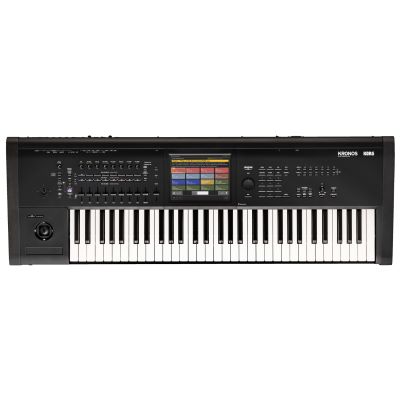
Instruments such as KRONOS and NAUTILUS combine deep synthesis engines with workstation functions. Conversely, modern synthesizers can include powerful sequencers, sampling and extensive performance tools.
If drum patterns, samples and loop-oriented production are more important than keyboard playing, a groove box can be more direct than either classic keyboard concept.
Workstations typically combine a broad range of ready-to-play instrument sounds with sequencing, multitimbrality, drums, performance memories and extensive MIDI control.
Piano, bass, strings, synthesizers and drums can therefore be combined within a single project without changing to a completely different piece of hardware.
The central question is how an individual sound is created. Oscillators or digital engines provide the source material, filters shape frequencies and envelopes, LFOs and additional modulation sources create movement.
Many synthesizers contain excellent step or pattern sequencers for bass lines and musical phrases. That does not automatically equal a comprehensive multitrack song arrangement with several instrument parts, a song structure and project management.
High-end workstations may contain several independent synthesis engines, sampling, deep modulation systems and extensive sound editing. Production and sound design are therefore no longer mutually exclusive concepts.
| Feature | Workstation | Synthesizer |
|---|---|---|
| Main Goal | Composition and arrangement | Sound design and performance |
| Sound Selection | Broad range of instruments | More strongly determined by the synthesis concept |
| Sequencer | Frequently multitrack or song-oriented | Frequently step-, pattern- or phrase-oriented |
| Sound Design | Ranges from straightforward to extremely deep | Frequently the central focus |
| Sampling | Integrated in many systems | Model-dependent |
| Multitimbrality | Particularly important | Model-dependent |
| Direct Controls | Operation often organised around functions | Many sound parameters frequently accessible directly |
| Live | Complete setups, splits and layers | Characteristic individual and performance sounds |
| Computer-Free Workflow | Complete production possible on many systems | Sound design yes; complete production depends on the model |
A workstation becomes especially useful when several different musical tasks need to remain inside the same instrument.
Select piano, bass, drums, strings or another instrument.
Play the musical idea directly into the sequencer.
Build drums, bass, harmony and melodic parts.
Turn individual parts into a complete song or performance.
Piano, bass, drums and additional parts can be sketched and structured without constantly changing between several different devices.
If you deliberately want to avoid working with a screen and mouse, a workstation provides a self-contained hardware environment for many production tasks.
Several sounds can be combined as splits and layers. Memory locations allow a complete setup to be prepared for each song in a set.
MIDI, USB and audio connections can integrate the workstation with a DAW, external synthesizers, audio interfaces and additional hardware.
Oscillators, filters, envelopes and LFOs are directly accessible on many instruments, so the effect of each change is immediately audible.
Modern digital synthesizers can generate complex, moving spectra, pads and textures and often provide deep modulation matrices.
A monophonic instrument can be particularly direct for bass and lead sounds. Fewer voices do not automatically mean less musical expression.
Several voices allow chords, pads and complex harmonic textures. The amount of polyphony required depends strongly on the music you want to create.
Practical for beat production, sound design, bass, lead and smaller studios. Octave buttons extend the accessible note range.
A versatile standard for bands, stage and production, with enough room for many splits and two-handed parts while keeping transport dimensions moderate.
More room for complex splits, piano parts and live setups without necessarily requiring the dimensions of a full 88-key instrument.
Useful when piano playing is central to your work. For synthesizer leads and fast organ parts, a lighter keyboard action can instead feel more comfortable.
If you play piano, strings, brass, organ, synth pads and leads inside the same cover-band set, a workstation is especially practical. Splits, layers and stored setups can replace several specialised instruments.
If you use one particularly characteristic synth sound, a dedicated synthesizer may be faster and more direct. Many keyboard players therefore combine a workstation as the central sound and control instrument with a second synthesizer for leads or sound design.
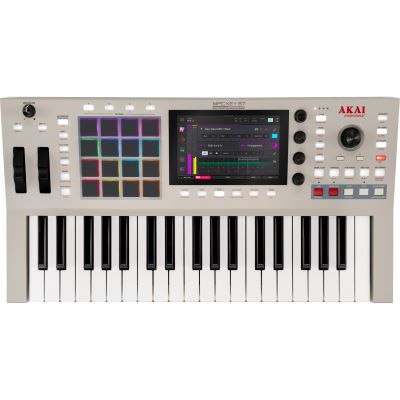
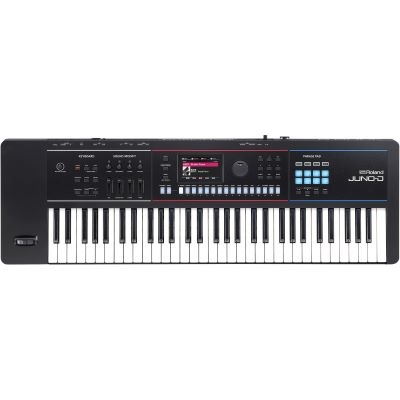
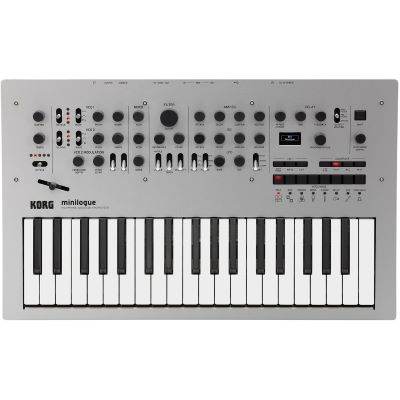
These examples deliberately range from complete standalone production and multitrack workstations to direct analog, hybrid and desktop sound-design tools.
These groups are not a quality ranking. They represent different musical tasks. Choose the workflow first and compare individual instruments only after that.
With large workstations, load capacity and stability are particularly important. For live use, the setup should additionally be quick and reproducible.
For separate audio recording into a DAW, connect the line outputs of the instrument to suitable inputs on an audio interface unless the instrument directly supports the required USB-audio workflow.
Desktop synthesizers have no conventional keyboard. A MIDI keyboard can make several sound modules playable from one central controller.
Workstations can be large and heavy. For rehearsal and stage use, consider the transport weight of the instrument and the protective solution together.
If you already produce entirely inside a DAW and only need one distinctive synthesizer, you may end up paying for production functions you hardly use.
A step sequencer is useful, but it is not automatically a complete song sequencer with several instrument tracks and project-level arrangement.
Piano players require different keys from synth and organ players. 88 keys are therefore not automatically the best solution for every application.
A deep sound engine is of little value if the functions you need during rehearsal or production are difficult to access.
Build a short song on a workstation using drums, bass, piano and a synthesizer part. Then create a sound from scratch on a synthesizer and automate the filter or another modulation parameter. The workflow that makes you want to continue working often tells you more about the right instrument class than individual technical specifications.
Discover analog, digital, hybrid and modeling synthesizers according to sound generation and operating concept.
Compare production instruments by key count, sequencing, sampling and performance functions.
Discover pattern-oriented production for electronic music, beats and hardware jams.
Add further sound modules to an existing master keyboard, workstation or studio setup.
A workstation is particularly useful when you want to combine many instrument sounds, develop multitrack ideas and manage complete musical setups inside one device. Synthesizers concentrate more strongly on creating and changing individual sounds and therefore frequently provide especially direct access to oscillators, filters, envelopes and modulation.
The boundary between both concepts is deliberately fluid. Workstations can contain extremely deep synthesis engines, while synthesizers can integrate sequencing, sampling and extensive performance functions. Decide according to the task you perform most often: arranging a complete song or shaping an individual sound in detail. If both are equally important, a powerful workstation can later be expanded with a dedicated synthesizer or desktop module.
From musical instruments and home-studio equipment to DJ and event technology, find more step-by-step buying guidance in the central Musikhaus Korn guide.