⚡
Create Crunch, Rock and Fuzz
Overdrive, distortion and fuzz alter the signal from light saturation through to strongly compressed, aggressive distortion.

Overdrive makes your tone rougher, chorus adds movement, delay creates repetitions and reverb provides spatial depth. This guide explains what the most important guitar effects do, which pedals suit your sound and how to build a useful effects chain from them.
Do not begin with pedal names. Begin with the result you want to hear. This quickly turns the enormous world of guitar effects into a manageable shortlist.
Overdrive, distortion and fuzz alter the signal from light saturation through to strongly compressed, aggressive distortion.
Chorus, phaser and flanger create movement and width, ranging from a subtle shimmer to an obviously psychedelic effect.
Delay repeats the signal. Reverb simulates spatial reflections and ranges from a small room to a large ambient soundscape.
Wah pedals alter a frequency range while you play. This creates rhythmic funk sounds as well as expressive lead tones.
Compressors, boosters, EQs, noise gates, octavers and pitch shifters perform very different jobs within gates, octavers and pitch shifters perform very different jobs within the signal chain.
Multi-effects processors combine numerous effect blocks and frequently add amp and cabinet models, presets, loopers and recording functions.
Different effects alter different characteristics of your signal. Some change gain and harmonics, some control dynamics, while others modify time, phase, pitch or the perceived space around the sound.
Gain effects are among the most important tools for electric guitar. The more strongly the signal is limited, the more its harmonic spectrum changes and the more compressed the sound can become.
Overdrive is suitable for blues, classic rock and indie, and can also be used as an additional push in front of an amplifier that is already beginning to break up.
Distortion produces stronger and more even saturation and is therefore suitable for powerful rock and high-gain sounds.
Fuzz can reshape the signal very strongly and, depending on the circuit, ranges from smooth sustain to rough, almost synthesizer-like textures.
A compressor reduces differences in dynamics and can emphasise sustain. A booster primarily increases level, allowing an amplifier or following pedals to be driven harder.
Modulation effects create movement through timing or phase-related changes. They can work subtly or become a clearly audible special effect.
Delay creates one or several repetitions. Reverb gives the impression of a physical or artificial space. Used together, they can create broad ambient soundscapes.
Compare what each effect does, where it is commonly used and where it can serve as a useful starting position in a signal chain.
| Effect | What It Does | Typical Application | Important Controls | Starting Position |
|---|---|---|---|---|
| Compressor | Controls dynamics | Clean, funk, country | Sustain, Attack, Level | Early |
| Wah | Shifts a frequency range | Funk, rock, solo | Foot pedal | Early |
| Overdrive | Adds saturation | Blues, rock | Gain, Tone, Level | Before modulation |
| Fuzz | Strong distortion | Rock, alternative | Fuzz, Tone, Volume | Often very early |
| Chorus | Adds width & movement | Clean, pop, rock | Rate, Depth | After drive |
| Delay | Creates repetitions | Solo, ambient | Time, Feedback, Mix | Late |
| Reverb | Creates a sense of space | Almost all styles | Decay, Tone, Mix | Usually very late |
| Looper | Records passages | Practice, solo performance | Record, Play, Overdub | Frequently at the end |
There is no compulsory order. The following chain, however, provides a clear starting point from which you can experiment deliberately.
Guitar → Tuner → Compressor / Wah → Drive / Fuzz → EQ / Modulation → Delay → Reverb → Amplifier
When delay or reverb is placed before strong distortion, their repetitions are distorted as well. This can be intentional, but the result usually becomes denser and less settled.
If you use strong distortion from the amplifier's preamp, chorus, delay and reverb can remain clearer in the FX loop. With a clean amplifier, the complete chain can also work well in front of the input.
Some fuzz circuits react particularly strongly to the guitar signal arriving directly at their input. The order of wah and fuzz can also change the character audibly, so experimenting is worthwhile.
You select every pedal individually according to sound and operation. Components can be replaced independently, and important functions are immediately available on their own controls and footswitches.
Multi-effects processors combine numerous effect blocks. Larger models may also include amp modeling, cabinet simulations, presets, an expression pedal, USB audio and extensive signal-routing options.
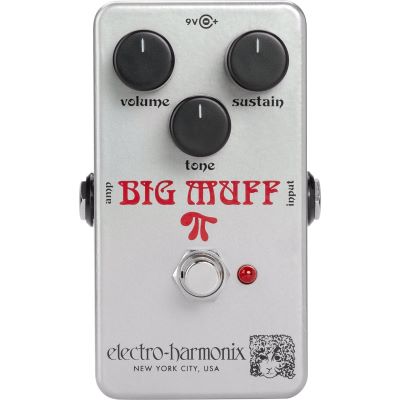
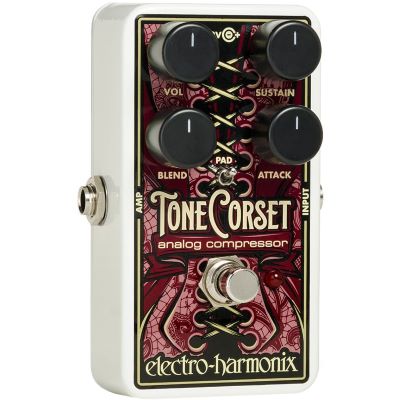
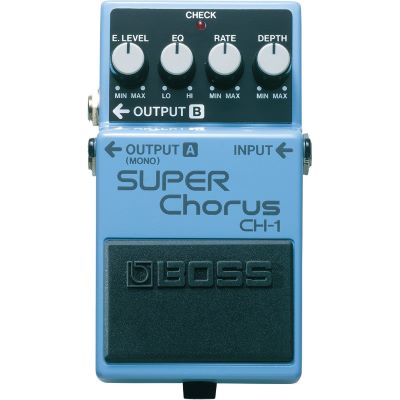
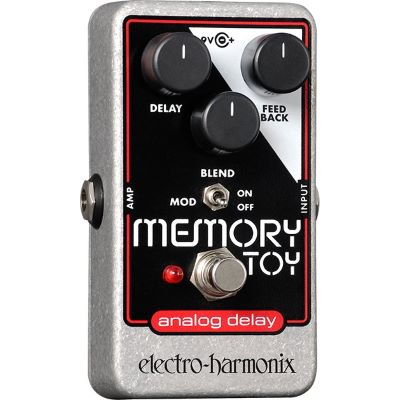
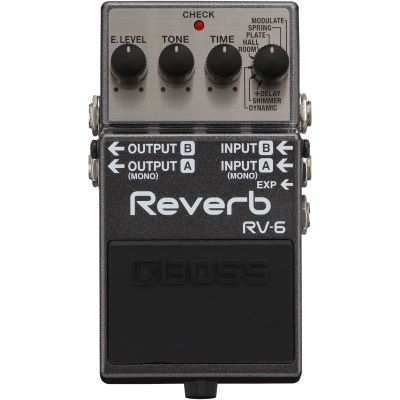

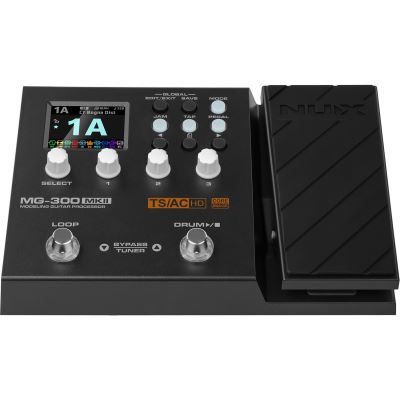
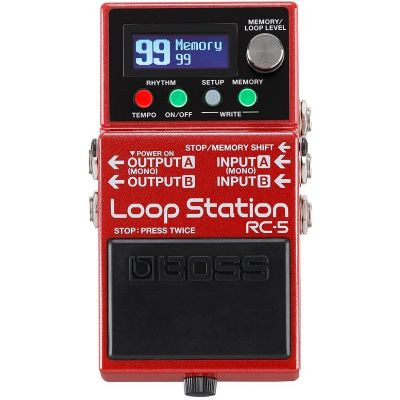
Use the effect type as your first filter. Then compare tonal character, operation, mono or stereo capability, power requirements and the amount of pedalboard space each device needs.
Check the voltage, polarity and current requirement of every pedal. A suitable multi-output power supply keeps larger pedalboards more organised.
Short cables connect the pedals to one another. Flat plugs can save valuable space on densely packed pedalboards.
The board should provide enough space for pedals, power supply and cables. Leave some reserve for later additions.
A/B switches, loop switchers and splitters help with more complex setups involving several amplifiers or separate effects paths.
Begin with low mix and gain settings. This keeps the original guitar tone recognisable while you learn what each effect contributes.
Voltage, polarity and required current must comply with the pedal manufacturer's specifications.
With strong amplifier distortion, compare delay and reverb in front of the amp with the same effects placed in the FX loop.
Stored multi-effects sounds should be adjusted live so that their perceived volume levels are suitably balanced when switching between presets.






An effect always interacts with the guitar, amplifier and the other pedals in the signal chain. Whenever possible, compare effects with a setup similar to the one you use at home or in the rehearsal room.
Select a guitar body style and pickup concept that match the sound you want to create.
Compare combos, amplifier heads and cabinets to find suitable amplification for your effects setup.
Find switchers, splitters and loop solutions for more complex pedalboards and amplifier rigs.
Add pedalboards, power supplies, cables, cases and mounting solutions to your effects setup.
Guitar effects are easier to choose when you first understand the job each one performs. Overdrive, distortion and fuzz shape saturation and distortion; compressors and boosters influence dynamics and level; chorus, phaser and flanger create movement; while delay and reverb shape time and space. Wah, octaver and pitch effects extend the tonal spectrum even further.
Begin with only a few effects and learn their controls thoroughly. You can then alter their order, experiment with the amplifier's effects loop and try different combinations. This creates a setup step by step that does not simply contain as many pedals as possible, but exactly the sound tools you actually use.
From guitars and basses to studio, DJ and event equipment, the Musikhaus Korn buying guides take you step by step towards a setup that suits your needs.